Tune Windows around the way you use it.
Windows ships with defaults chosen for everyone, which means they are chosen for no one in particular. Optimizer reviews the settings that shape performance, privacy, and networking, explains what each one does, and lets you decide what belongs on your PC.
Replaces


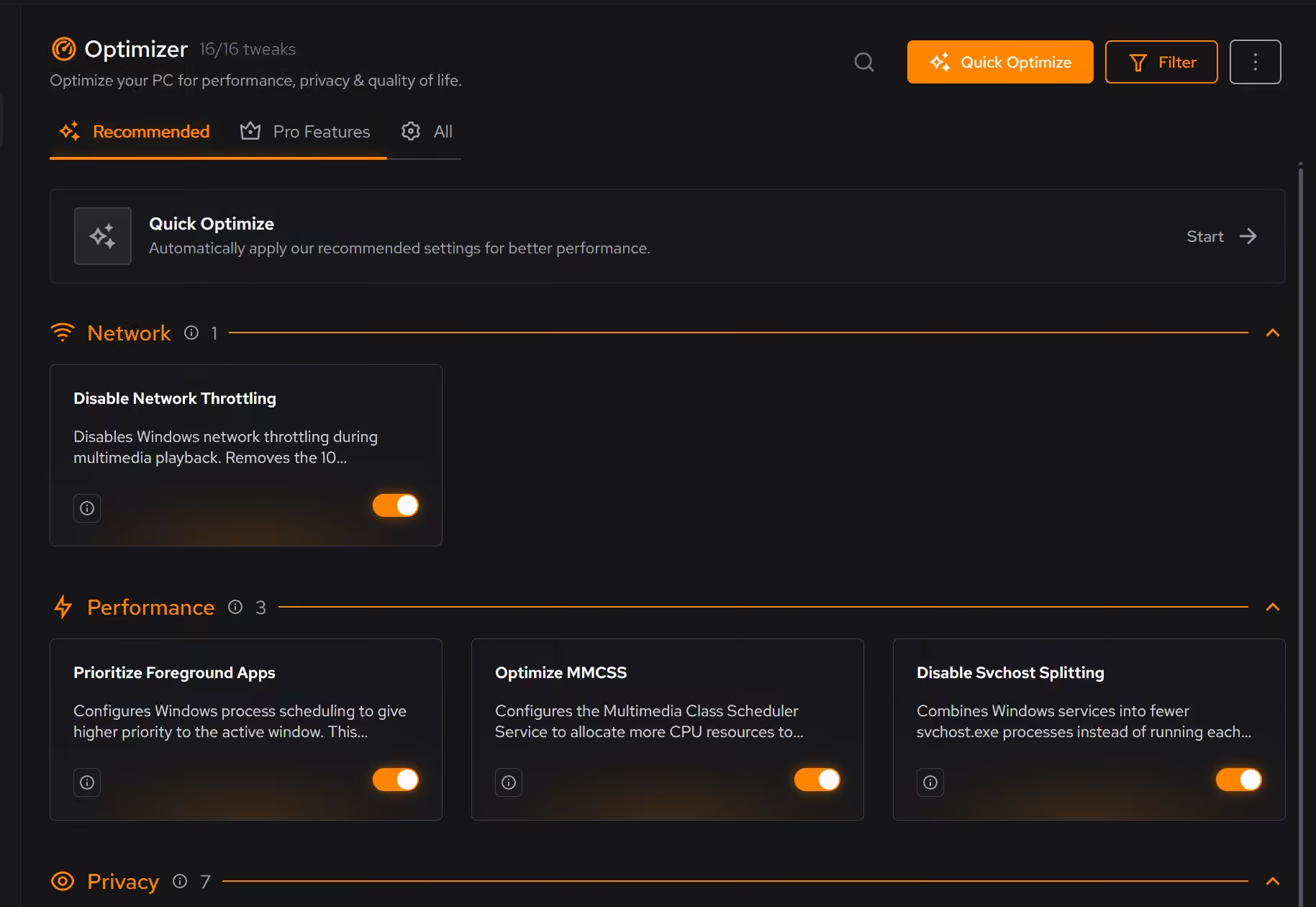
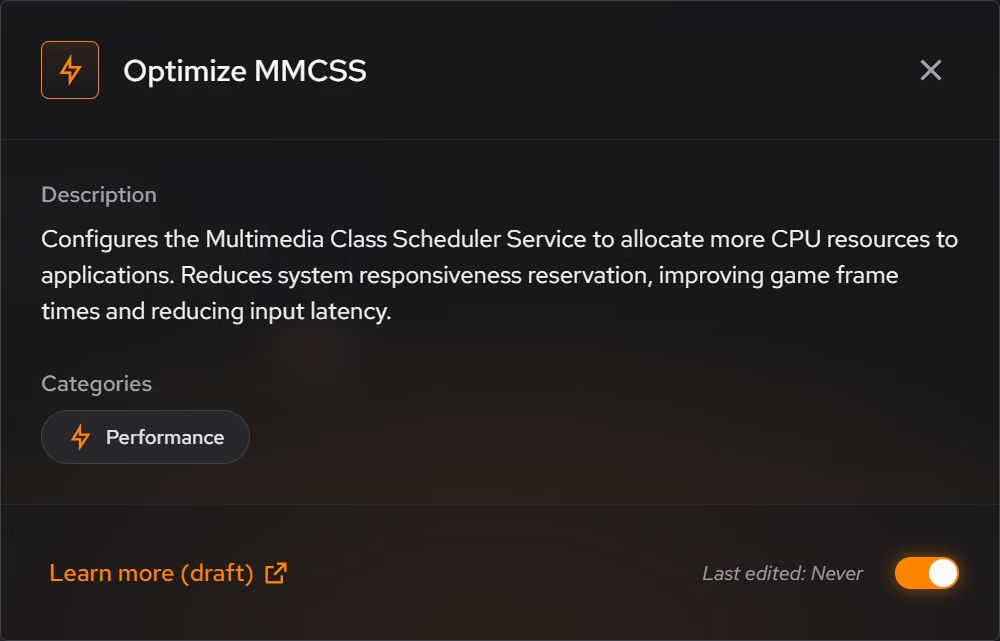
Smoother performance
Reduce background work that competes with responsiveness and frame consistency.
Privacy on your terms
Review Windows data collection and privacy settings instead of accepting every default.
A more responsive connection
Tune networking settings that can affect latency and everyday responsiveness.
Changes you can trace
See what each optimization changes before you apply it, with a supported route back.
Every tweak explains itself first.
Each recommendation describes what it changes, why it can help, and what to expect, in plain language rather than registry paths. Apply the whole recommended set with Quick Optimize, or go through them one at a time.
A route back is part of the deal.
Optimizer keeps a history of what you applied and when. Supported changes can be reverted from the same place you enabled them, so trying something is never a commitment.
Grouped by what you care about.
Tweaks are organized into performance, privacy, network, and quality of life categories, so you can tune the areas that matter to you and leave the rest untouched.
What Pro adds to Optimizer.
- Advanced tweaks such as timer resolution, core parking, and modern standby
- Beta tweaks as they roll out
Everything else on this page is free.
Put it to work on your PC.
Free on Windows 10 and 11, with every change explained before it happens.
Download eclean