

Cleaner · Booster · Uninstaller
eclean vs AVG TuneUp
AVG TuneUp automates PC maintenance behind a subscription. Here is how eclean compares on background apps, cost over time, and vendor track record.
Last checked

Geek Uninstaller is the tiny portable favorite for removing Windows software. Here is how eclean compares on uninstalling, leftovers, and what surrounds them.
Geek Uninstaller is fast, tiny, and portable, and its Force Removal handles programs whose own uninstaller is broken. For removing one stubborn app on any PC, it is a great thing to keep on a USB stick. eclean covers the everyday job with desktop programs, Store apps, and browser extensions in one list, a leftover scan after every removal, and batch removal free, plus the rest of a maintenance toolkit.
Free · Windows 10 and 11
Stay with Geek Uninstaller if…If this list sounds like you, Geek Uninstaller is a fine choice.
The same jobs, done two ways.
With eclean
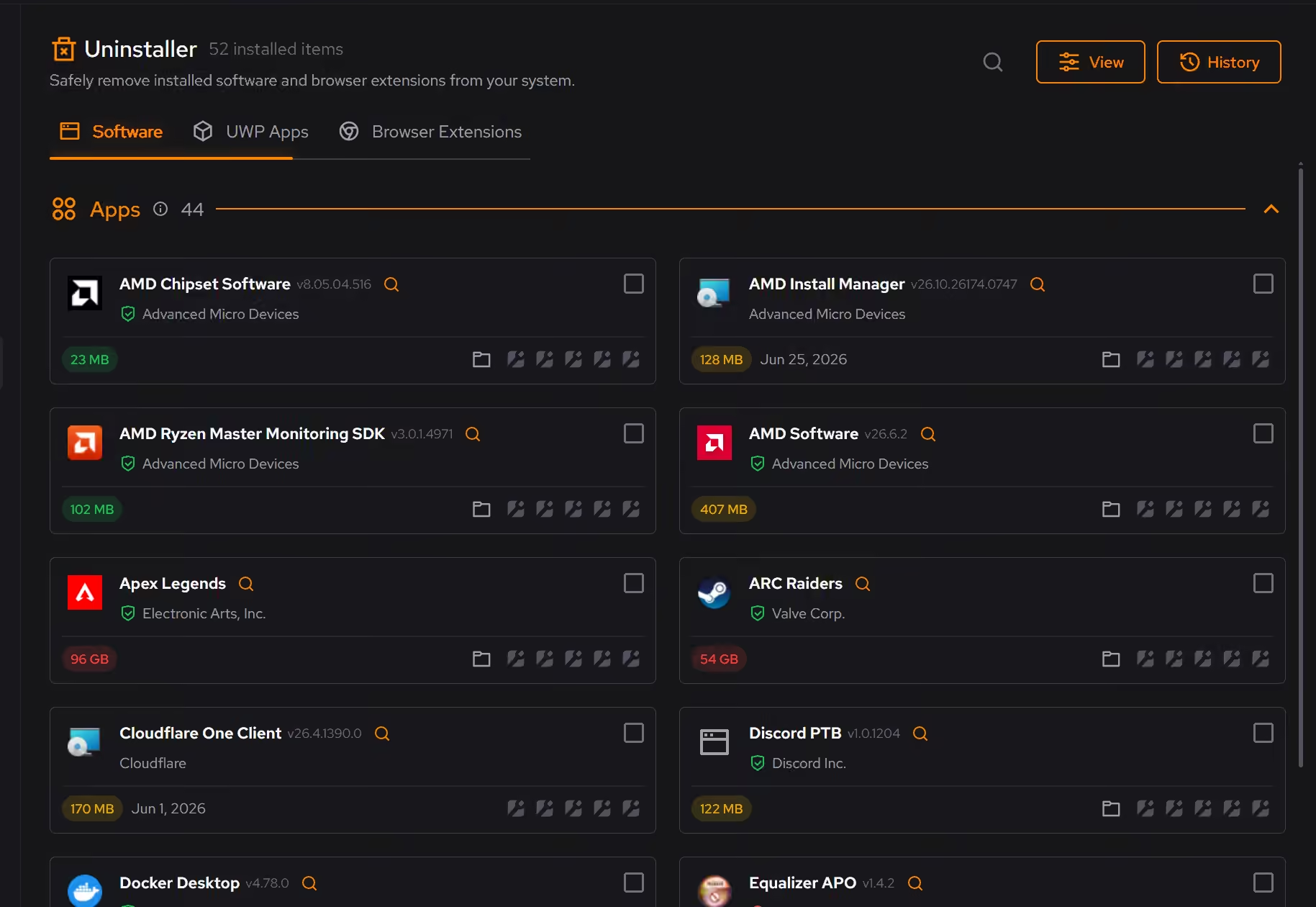
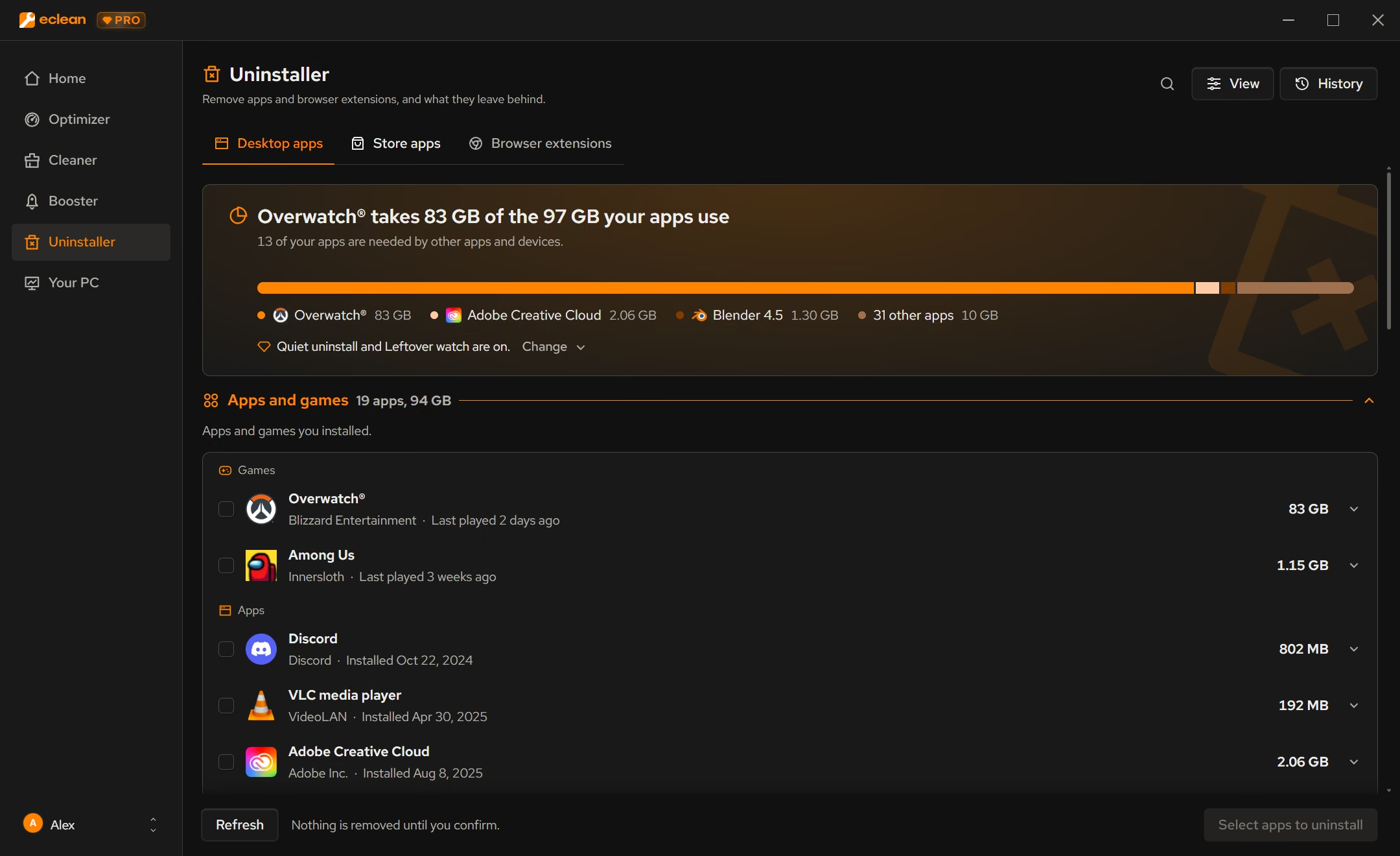
Desktop programs, Store apps, and browser extensions across supported browsers share one inventory, with size, publisher, and install date next to each.
With Geek Uninstaller
Desktop programs and Microsoft Store apps are both covered. Browser extensions are not listed among its features.
With eclean
Select several apps and remove them together, with leftovers checked for each one, on the free tier.
With Geek Uninstaller
Batch Removal is part of Pro, alongside startup management and a real-time installation monitor.
With eclean
eclean removes the app and then checks what it left behind. It does not include a forced mode for broken uninstallers.
With Geek Uninstaller
Force Removal deletes a program's files and registry entries even when its uninstaller fails. That is the strongest reason to keep it around.
With eclean
The same download cleans clutter, manages startup and services, and shows your hardware, so the next question has an answer too.
With Geek Uninstaller
Geek Uninstaller does one job in a single small file that needs no install.
Geek Uninstaller is a small portable Windows uninstaller with leftover scanning, forced removal, and Microsoft Store app removal. Here is how the two line up, feature by feature.
| Capability | eclean Free, or Pro at $59.99/year | Geek Uninstaller Free for personal use, Pro (see the vendor's site) |
|---|---|---|
| Uninstalling | ||
| Uninstall desktop programs | ||
| Scan for leftover files and registry entries | ||
| Remove Microsoft Store apps | ||
| Review and remove browser extensions | Not listed | |
| Batch removal | With Pro | |
| Forced removal of broken programs | ||
| Real-time installation monitor | With Pro | |
| Beyond uninstalling | ||
| Startup apps | With Pro | |
| Services and scheduled tasks | Not listed | |
| Junk cleaning and large files | ||
| Hardware inventory and live activity | ||
| How it treats you | ||
| Portable, no install | ||
| Paid tier | Optional Pro subscription | One-time Pro license |
| Native ARM64 build | x64 only | |
Checked by William Hallin. Last checked . Spot something out of date? Tell us and we'll fix it.
Sources: Geek Uninstaller home page (checked 10 Nov 2026)Geek Uninstaller download and release notes
Free on Windows 10 and 11, no trial timer.
Download freeEverything Geek Uninstaller does here lives in one module of the same free download.
Every recommendation says what it changes and why before you commit to it.
Supported changes keep an undo history, so trying something is never a commitment.
Scans and cleaning run locally. eclean does not upload your files, documents or installed-program list.
Geek Uninstaller has stayed popular for over a decade because it gets out of the way. It is a single small download that runs without installing, lists what is on the PC, and cleans up leftovers after each removal. The October 2026 release added a native ARM64 build. Force Removal is the feature people remember, since it clears out programs whose own uninstaller no longer works.
Free use is for personal use, and Pro is a one-time purchase that adds batch removal, startup management, and an installation monitor.
Most uninstalling is housekeeping. You look at what has piled up, decide what stays, and remove the rest without leaving a mess. eclean is built for that. Desktop programs, Store apps, and browser extensions sit in one list with size, publisher, and install date beside each, and you can remove several at once with a leftover check for every one.
With Pro, quiet uninstall skips the screens of uninstallers eclean recognizes, and leftover watch tells you when an app is removed outside eclean so you can check what it left.
Geek Uninstaller is a fine tool to keep on a USB stick for broken installs on other people's PCs. For keeping your own PC tidy, eclean handles the everyday removals and the questions that come after, like what is slowing startup and what is filling the drive.
Cleaner · Booster · Uninstaller
AVG TuneUp automates PC maintenance behind a subscription. Here is how eclean compares on background apps, cost over time, and vendor track record.

Cleaner · Uninstaller
A free CCleaner alternative? See how eclean compares on previews before cleaning, the registry cleaner, installer offers, and what the free tier includes.

Uninstaller
A free alternative to Revo Uninstaller? Compare leftover scans, Windows apps, browser extensions, and forced uninstall, and see where Revo Pro still wins.
5.0 out of 5 on Trustpilot from 11 reviews
“Easy to use. Great support. And it really helped me clean my computer. When you are uncertain which files you could delete, the program solves that for you. I don't even need to think, that's great. =)”