


Cleaner · Booster · Uninstaller
eclean vs AVG TuneUp
AVG TuneUp automates PC maintenance behind a subscription. Here is how eclean compares on background apps, cost over time, and vendor track record.
Last checked

Revo is the classic answer to stubborn Windows software. Here is how eclean compares on uninstalling, leftovers, and everything around them.
Revo is a genuinely good uninstaller, and its forced-uninstall mode is still the deeper tool for truly broken software. eclean covers the everyday job (removal plus leftovers) and adds Windows apps, browser extensions, and the rest of a maintenance toolkit in one free download.
Free · Windows 10 and 11
Stay with Revo Uninstaller if…If this list sounds like you, Revo Uninstaller is a fine choice.
The same jobs, done two ways.
With eclean
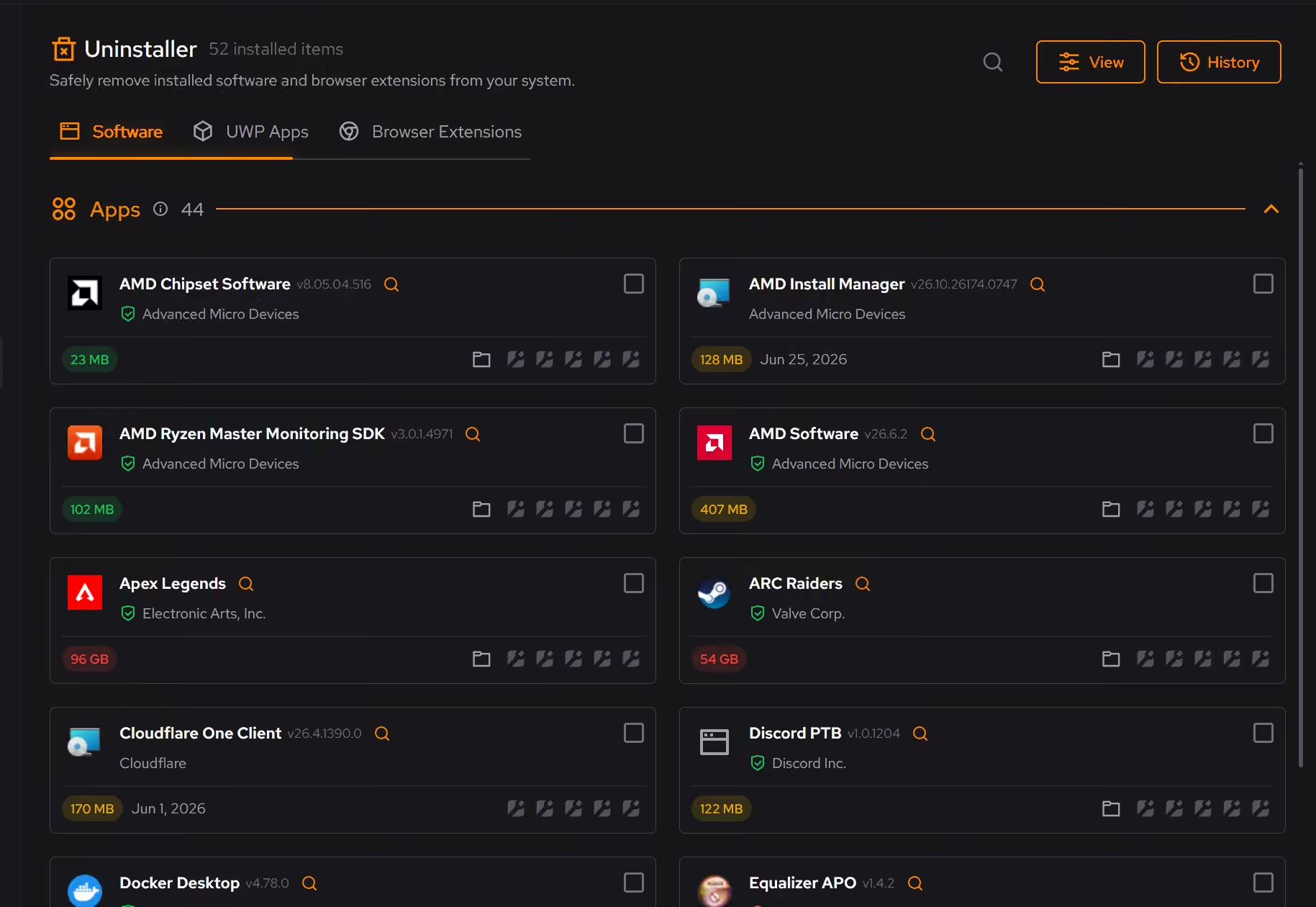
One inventory covers desktop programs, packaged Windows apps, and browser extensions across supported browsers, with size, install date, and publisher next to each entry.
With Revo Uninstaller
Revo centers on desktop programs and Windows apps. Browser extensions arrive with Pro, so on the free tier part of your software footprint stays out of view.
With eclean
Every uninstall can end with a leftover scan (files and registry entries the standard route leaves behind) as part of the normal flow, free.
With Revo Uninstaller
Leftover scanning is Revo's signature move and it does it well. The deeper cleanup modes and real-time install monitoring sit in the paid Pro tiers.
With eclean
The same download includes cleaning, startup and services, DNS tools, and a full hardware view. Those are the questions you usually ask right after "what can I remove?"
With Revo Uninstaller
Revo bundles a handful of extra utilities, but they are side dishes. The product begins and ends with removing software.
Revo Uninstaller is a long-running specialist at removing Windows programs and hunting down the leftovers they leave behind. Here is how the two line up, feature by feature.
| Capability | eclean Free, or Pro at $45.99 USD/year | Revo Uninstaller Free, or $24.95 for a year of updates |
|---|---|---|
| Uninstalling | ||
| Uninstall desktop programs | ||
| Scan for leftover files and registry entries | ||
| Remove packaged Windows apps | ||
| Review and remove browser extensions | With Pro | |
| Batch removal | Unlimited with Pro | With Pro |
| Forced uninstall of broken installers | With Pro | |
| Beyond uninstalling | ||
| Junk and clutter cleaning | Basic extras | |
| Startup, services, and scheduled tasks together | Autorun manager | |
| Hardware inventory and live sensors | ||
| DNS benchmarking and encrypted DNS | ||
| How it treats you | ||
| Every change explained before it is applied | Lists leftovers, not reasons | |
| Free tier without a trial timer | ||
| Bundled offers in the installer | Never | Never |
Checked by Jack Holmes. Last checked . Spot something out of date? Tell us and we'll fix it.
Sources: Revo Uninstaller Pro features
Everything Revo Uninstaller does here lives in one module of the same free download.
Every recommendation says what it changes and why before you commit to it.
Supported changes keep an undo history, so trying something is never a commitment.
Scans and cleaning run locally. The contents of your files never leave your machine.
“yeah seems to be good so far”
R M
Revo Uninstaller has been the "when the normal way fails" tool for nearly two decades, and its reputation is earned. Forced uninstall and install monitoring go deeper than what eclean offers today, and its installer has stayed clean. If your problem is genuinely broken software, Revo Pro remains the specialist.
Most uninstalling is not forensic work. It is looking at what accumulated, deciding what stays, and removing the rest without leaving a mess. eclean is built for that reality: desktop programs, packaged Windows apps, and browser extensions sit in one inventory, sorted by the details that actually drive the decision: size, install date, publisher.
Leftover scanning is not an upsell moment; it is simply how an uninstall should end. And before anything is removed, eclean tells you what it is about to do, in plain language, the same way every module of the app works.
Choose Revo and you have solved exactly one problem. The next questions each want another download: why startup is slow, what is filling the disk, what is running in the background. eclean answers them in the same app, free: Cleaner, Booster, and a full hardware view alongside the uninstaller.
If you only ever need the scalpel, Revo is a fine scalpel. If what you actually want is a well-kept PC, eclean covers the whole routine and shows its work while doing it.
Cleaner · Booster · Uninstaller
AVG TuneUp automates PC maintenance behind a subscription. Here is how eclean compares on background apps, cost over time, and vendor track record.

Cleaner · Booster
Advanced SystemCare grades your PC and fixes everything in one click. Here is how eclean compares on cleaning, speed-up claims, and upsell pressure.

Cleaner
BleachBit is free, open source, and genuinely powerful. An honest look at where it wins and what eclean adds in explanation, coverage, and support.