
Cleaner · Booster
eclean vs Advanced SystemCare
Advanced SystemCare grades your PC and fixes everything in one click. Here is how eclean compares on cleaning, speed-up claims, and upsell pressure.
Last checked

AVG TuneUp automates PC maintenance behind a subscription. Here is how eclean compares on background apps, cost over time, and vendor track record.
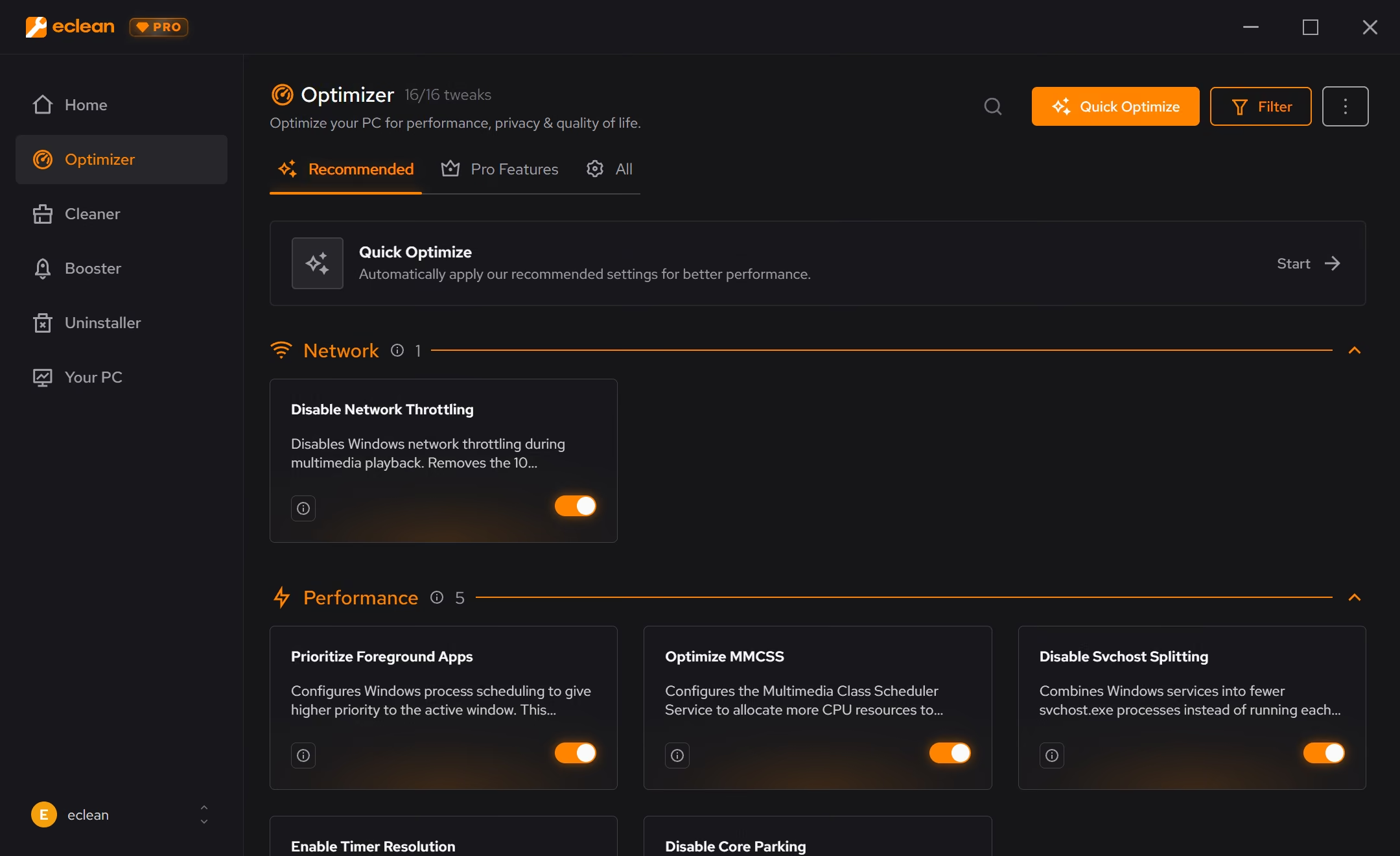
AVG TuneUp automates well. Sleep Mode's idea of quieting background apps is a good one, and one plan can cover ten devices across four platforms. The trade is control and cost. Maintenance happens without showing its reasoning, the subscription renews automatically at a much higher list price than the first-year deal, and the vendor's history with user data belongs in the decision. eclean does the same jobs in the open, with a free tier that never expires.
Free · Windows 10 and 11
Stay with AVG TuneUp if…If this list sounds like you, AVG TuneUp is a fine choice.
The same jobs, done two ways.
With eclean
Booster shows the actual background load (startup apps, services, scheduled tasks) and lets you trim it deliberately, with each change explained and a route back.
With AVG TuneUp
Sleep Mode suspends background apps automatically. The idea is sound and it requires nothing from you, but you are trusting the app's judgment about what your PC should be doing.
With eclean
A cleaning scan shows what was found, grouped by source, with the space it frees, before anything is removed. Nothing runs that you did not look at first.
With AVG TuneUp
Automatic Maintenance cleans on its own schedule, registry entries included. Convenient by design, but the work is summarized after the fact rather than shown before.
With eclean
The free tier is the product and has no timer. Pro adds scheduling and depth at a list price shown plainly on one page, and losing it never locks the basics.
With AVG TuneUp
The first year is usually heavily discounted, then the subscription auto-renews at the full list price unless you cancel. The renewal jump is the most common complaint in its reviews.
With eclean
eclean's model is the license fee. What the app collects and why is written in plain language, and the business does not depend on your data.
With AVG TuneUp
Avast, AVG's owner since 2016, sold user browsing data through its Jumpshot subsidiary until reporting exposed it in January 2020. The FTC later ordered a $16.5 million settlement. Different product, same parent company.
AVG TuneUp is a subscription tune-up suite from the AVG antivirus family, with Sleep Mode, automatic maintenance, and plans covering up to 10 devices. Here is how the two line up, feature by feature.
| Capability | eclean Free, or Pro at $45.99 USD/year | AVG TuneUp 7-day trial, then $65.99/year |
|---|---|---|
| Cleaning | ||
| Preview files before they are removed | Category summaries | |
| Clutter grouped by browsers, apps, Windows, and games | Browsers and system | |
| Large file finder | Duplicate finder instead | |
| Registry cleaner | No, on purpose | |
| Background work | ||
| Puts background apps to sleep automatically | Manual, explained control | |
| Startup, services, and scheduled tasks together | Startup items | |
| Every change explained before it is applied | Runs automatically | |
| Undo history for applied changes | Rescue Center backups | |
| DNS benchmarking and encrypted DNS | ||
| Cost and coverage | ||
| Usable without paying, indefinitely | 7-day trial | |
| Renews automatically at a higher list price | No subscription needed | |
| Covers Mac, Android, and iOS | Windows only | Up to 10 devices |
| Uninstaller with leftover scan | Bloatware ratings | |
| Hardware inventory and live sensors | ||
Checked by Jack Holmes. Last checked . Spot something out of date? Tell us and we'll fix it.
Everything AVG TuneUp does here lives in 3 modules of the same free download.



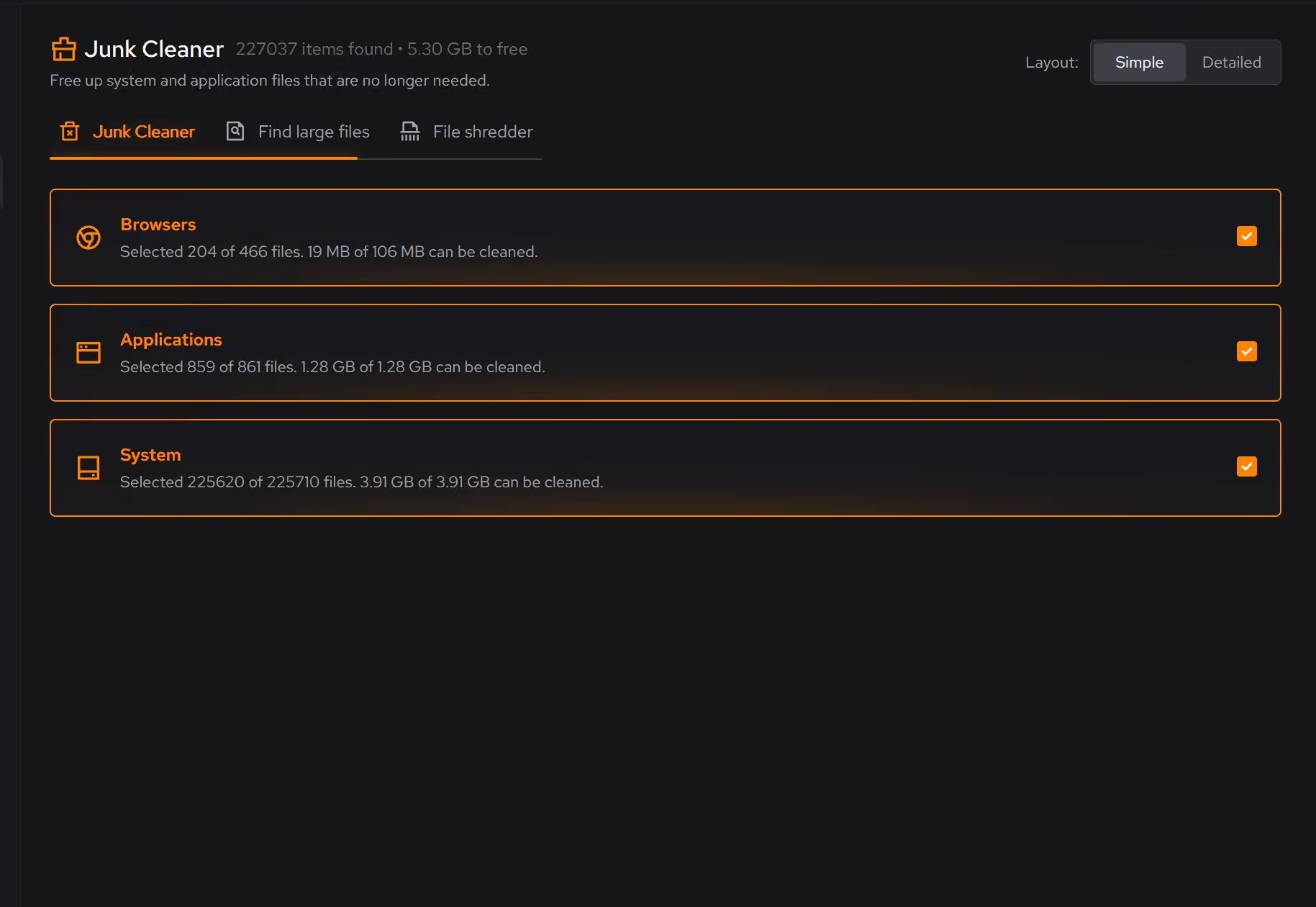


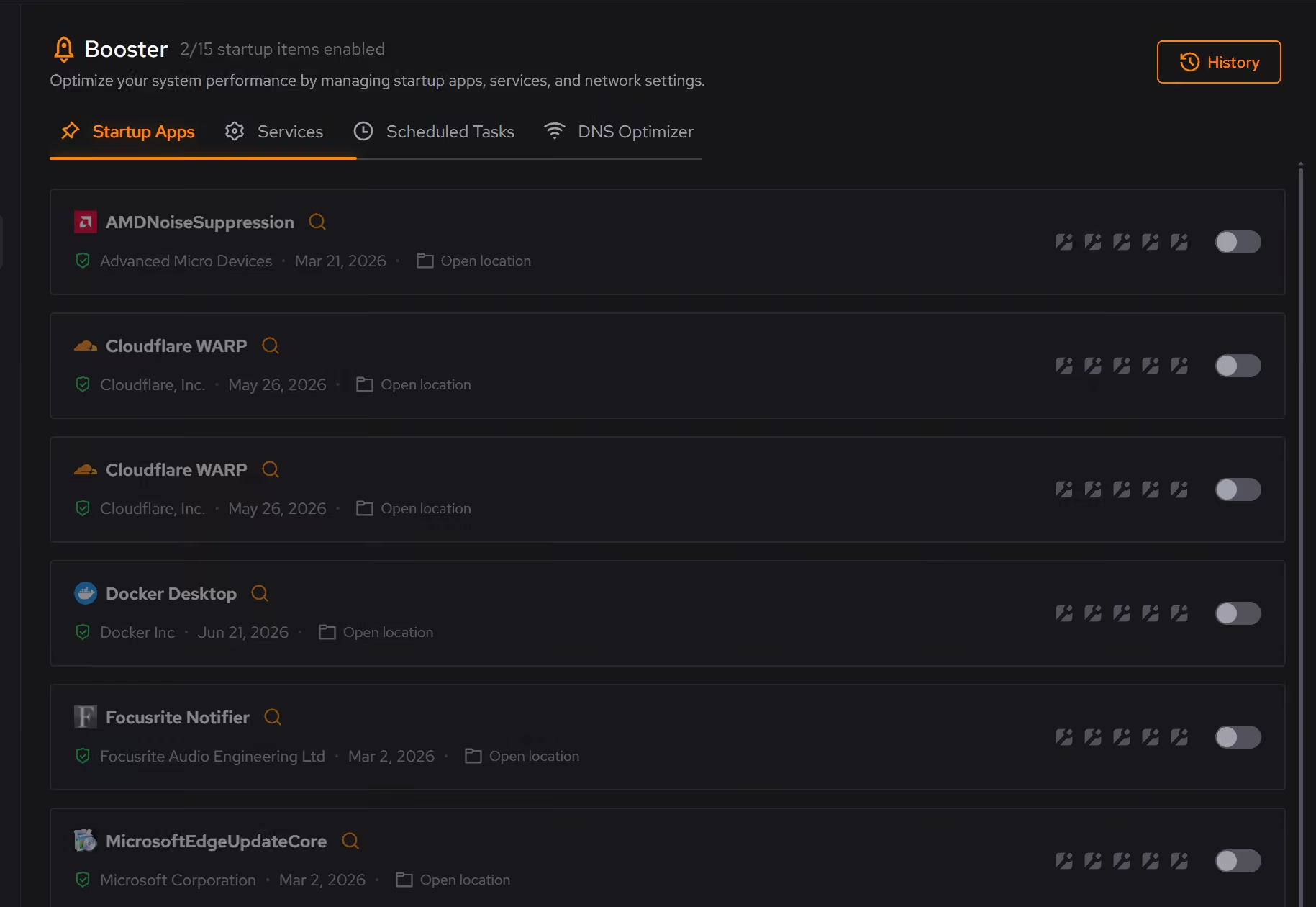



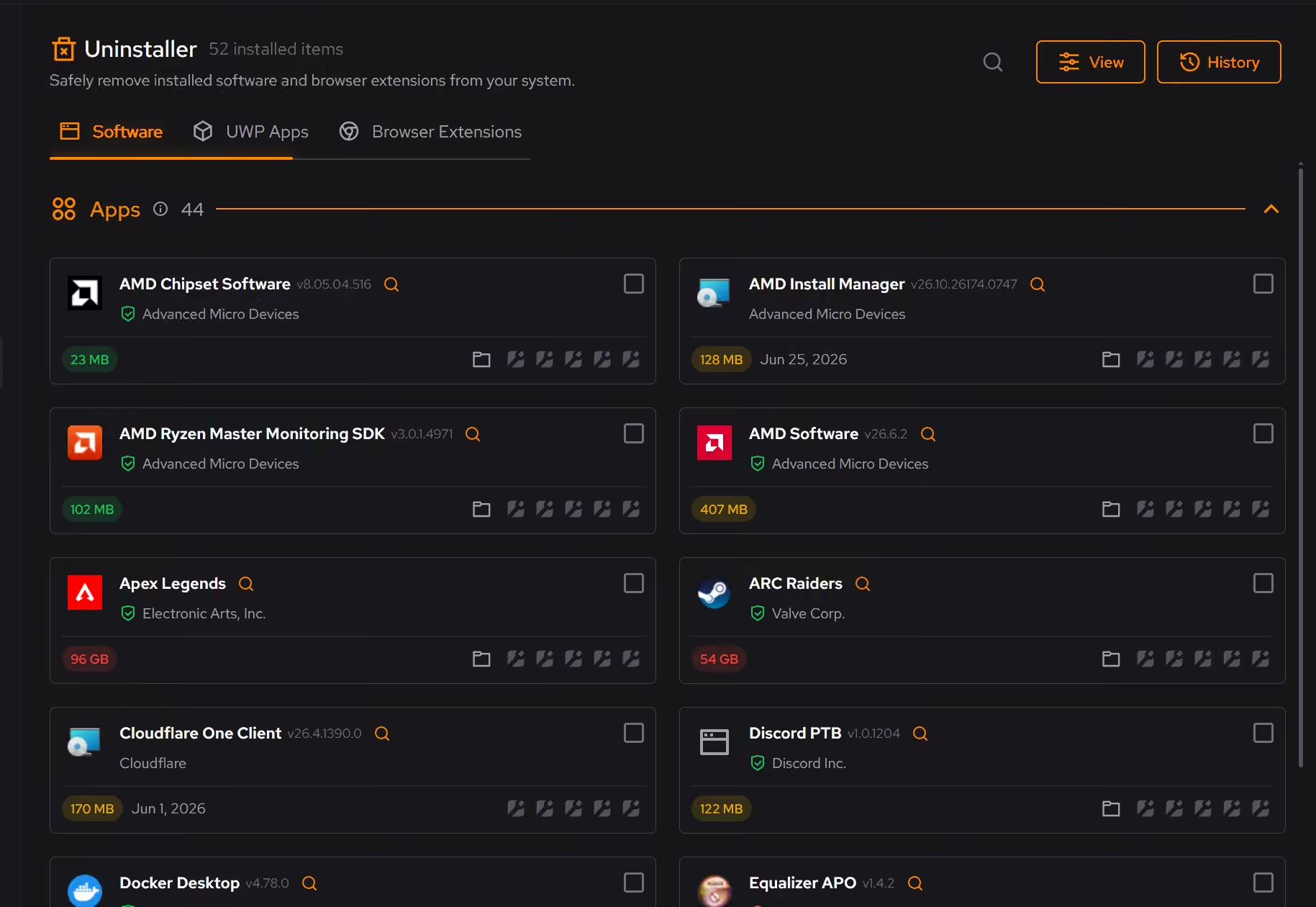
Every recommendation says what it changes and why before you commit to it.
Supported changes keep an undo history, so trying something is never a commitment.
Scans and cleaning run locally. The contents of your files never leave your machine.
“yeah seems to be good so far”
R M
AVG TuneUp automates more gracefully than most of its category. Sleep Mode's core idea, that background apps you rarely use should not get your PC's time, is genuinely good. Automatic Maintenance means the routine actually happens, and a single plan can cover ten devices across Windows, Mac, Android, and iOS. For a household full of hardware, that math is real.
Two things belong in the decision beyond features. First, the price you see is rarely the price you keep: the first year is usually sold at a steep discount, and the subscription then auto-renews at the full list price (currently $65.99 per year for one PC) unless you cancel. That renewal jump is the most consistent complaint in TuneUp's own reviews.
Second, the parent company's history with data. Avast, which acquired AVG in 2016, collected browsing data through its products and sold it through a subsidiary called Jumpshot. A joint investigation by PCMag and Motherboard made the practice public in January 2020, and Avast shut Jumpshot down the same month. In 2024 the US FTC ordered Avast to pay $16.5 million and banned it from selling browsing data. Avast is now part of Gen Digital, which owns AVG TuneUp today. None of that means TuneUp mistreats your data now. It does mean the vendor asks for trust it once spent.
eclean's answer to automation is explanation. Booster shows what starts with Windows, what runs in the background, and what is scheduled, then lets you trim it deliberately, with every change explained and a history with a route back. Cleaning starts with a preview grouped by where the clutter comes from, before anything is removed.
The pricing model matches. The free tier is the product, with no timer, and Pro adds scheduling and depth at a price listed plainly. If a full C: drive is what brought you here, start with our guide to freeing up disk space; the built-in steps come first, and eclean picks up where they stop.
Cleaner · Booster
Advanced SystemCare grades your PC and fixes everything in one click. Here is how eclean compares on cleaning, speed-up claims, and upsell pressure.
Cleaner
BleachBit is free, open source, and genuinely powerful. An honest look at where it wins and what eclean adds in explanation, coverage, and support.
Cleaner
CCleaner made PC cleaning a household habit. Here is how eclean compares on cleaning, transparency, and what each installer asks of you.