
Cleaner · Booster · Uninstaller
eclean vs AVG TuneUp
AVG TuneUp automates PC maintenance behind a subscription. Here is how eclean compares on background apps, cost over time, and vendor track record.
Last checked

Advanced SystemCare grades your PC and fixes everything in one click. Here is how eclean compares on cleaning, speed-up claims, and upsell pressure.
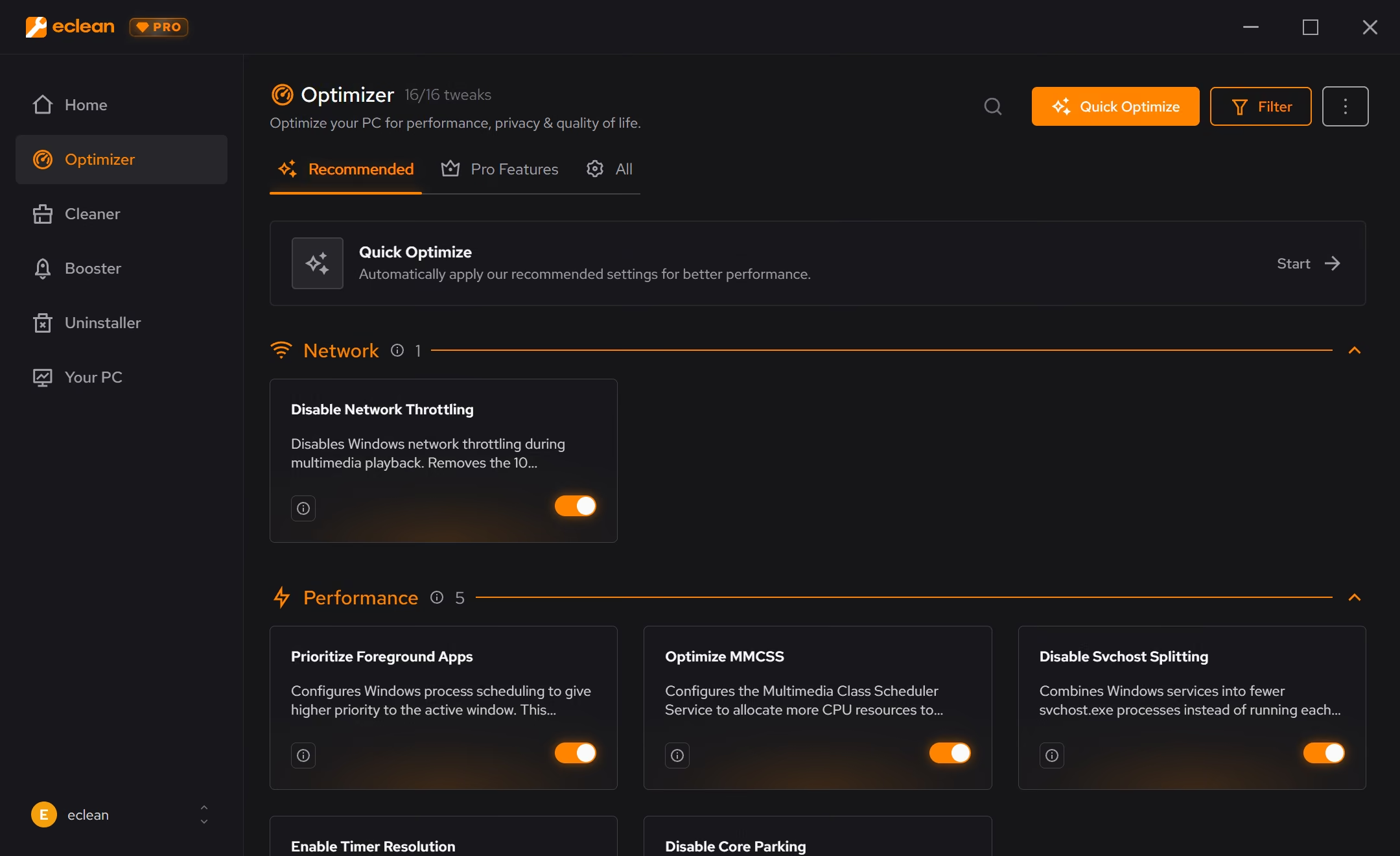
Advanced SystemCare is the most polished version of the one-click promise, and a license covers several PCs for little money. What holds it back is the model itself, a health score built to alarm, a fix-everything button, and a free version that doubles as a storefront for other IObit apps. eclean does the same core jobs (cleaning, startup, background work) one explained decision at a time, with no health grade and no cross-selling.
Free · Windows 10 and 11
Stay with Advanced SystemCare if…If this list sounds like you, Advanced SystemCare is a fine choice.
The same jobs, done two ways.
With eclean
There is no health score. A scan produces a readable list of what was found, where it came from, and what removing it does, and you decide from there.
With Advanced SystemCare
The one-click scan leads with a grade and thousands of "issues", most of them registry entries and traces whose removal changes nothing you can feel. Every PC looks sick until you click Fix.
With eclean
Cleaning shows a preview grouped by source before anything is removed. Booster changes are applied deliberately, each one explained, with a history and a route back.
With Advanced SystemCare
Fix All resolves every category in one pass. It is fast, but you approve a number, not a list, and judging what actually changed afterward is guesswork.
With eclean
eclean ships no registry cleaner. On a modern Windows PC it is placebo work, and selling placebo work costs the trust the rest of the app runs on.
With Advanced SystemCare
Registry cleaning supplies much of the issue count that makes the scan look urgent. It is the least consequential work in the suite, presented as the most alarming.
With eclean
The free tier is the product (cleaning, startup and services, DNS tools, and the hardware view), with no nags. Pro adds scheduling and depth, not the basics.
With Advanced SystemCare
Free is functional but dense with prompts. Pro upgrade banners plus recommendations for Driver Booster, IObit Uninstaller, and other IObit apps, some pre-selected during install.
Advanced SystemCare is IObit's flagship PC utility suite, built around a one-click scan that grades your PC and fixes everything it finds at once. Here is how the two line up, feature by feature.
| Capability | eclean Free, or Pro at $45.99 USD/year | Advanced SystemCare Free, or $29.99/year |
|---|---|---|
| Cleaning | ||
| Preview files before they are removed | Categories, not items | |
| Clutter grouped by browsers, apps, Windows, and games | Mixed scan categories | |
| Large file finder | ||
| Secure file shredder | Secure overwrite with Pro | |
| Registry cleaner | No, on purpose | |
| Speed-up | ||
| Startup, services, and scheduled tasks together | Startup Optimizer | |
| Every change explained before it is applied | Issue counts, not reasons | |
| Undo history for applied changes | Rescue Center backups | |
| DNS benchmarking and encrypted DNS | ||
| How it treats you | ||
| Health score theatrics | None | Front and center |
| Prompts for the vendor's other apps | None | Frequent |
| Pre-selected extras during install | Never | Other IObit apps |
| Hardware inventory and live sensors | Basic system info | |
Checked by Jack Holmes. Last checked . Spot something out of date? Tell us and we'll fix it.
Sources: Advanced SystemCare product page
Everything Advanced SystemCare does here lives in 2 modules of the same free download.



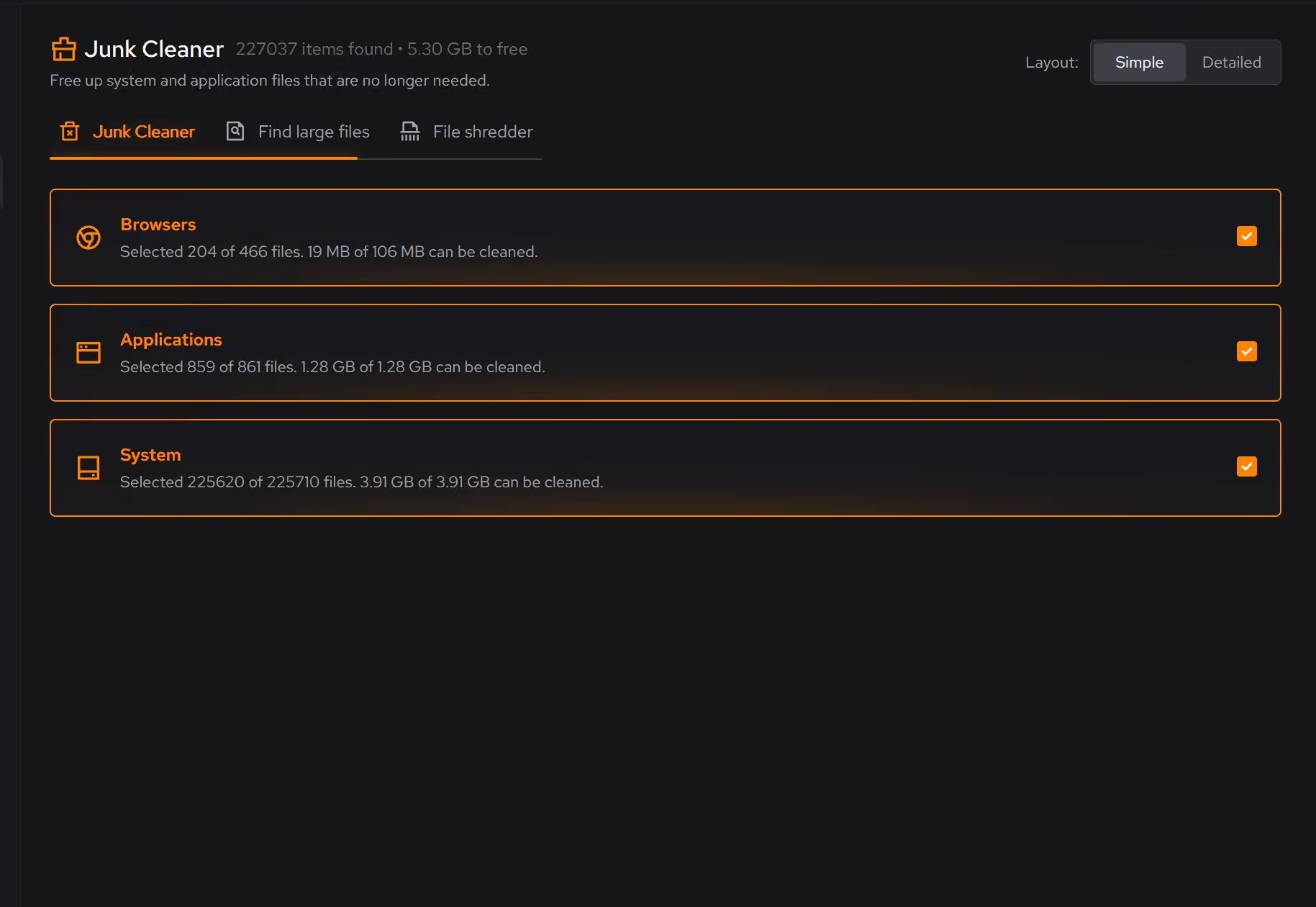


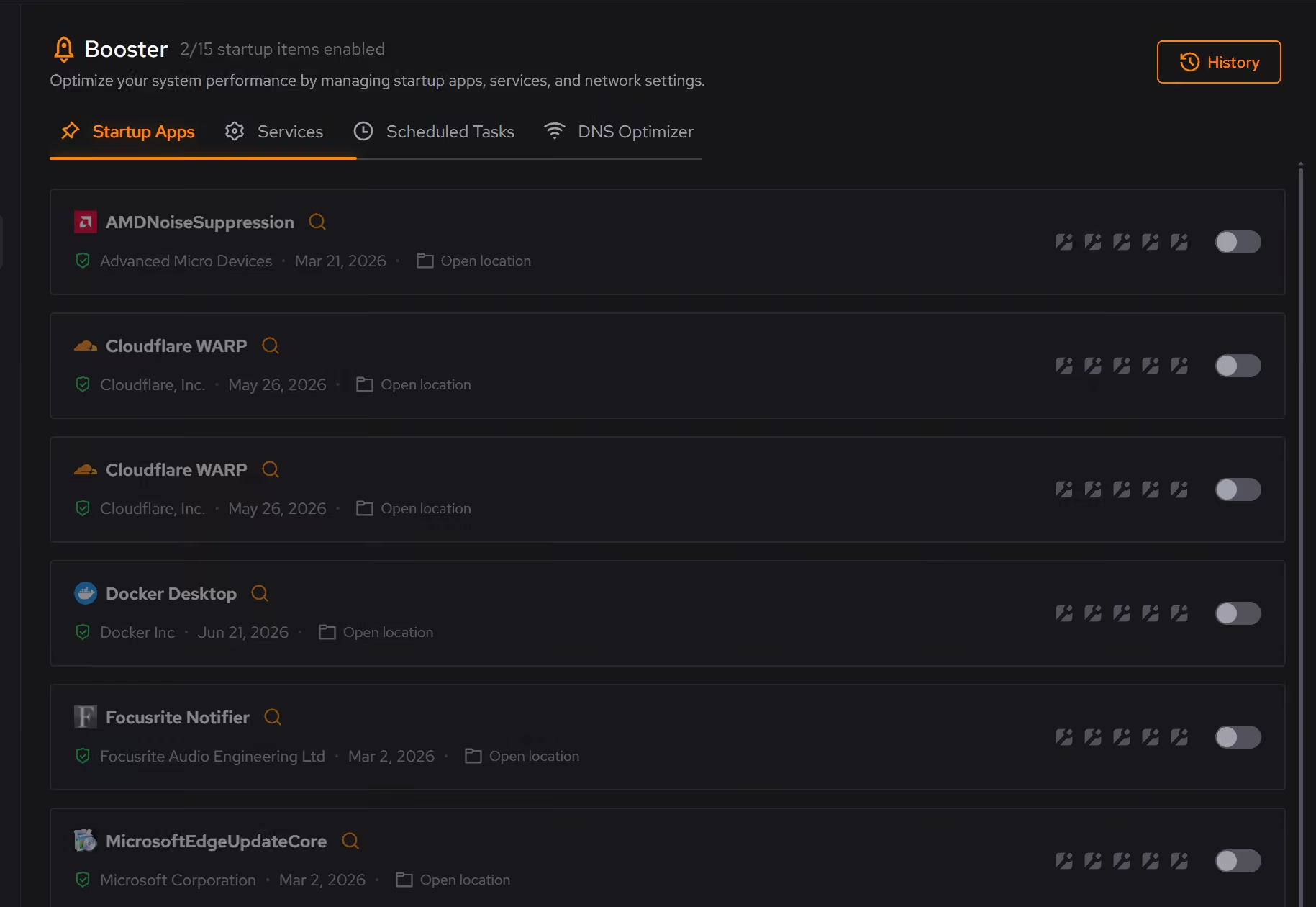
Every recommendation says what it changes and why before you commit to it.
Supported changes keep an undo history, so trying something is never a commitment.
Scans and cleaning run locally. The contents of your files never leave your machine.
“yeah seems to be good so far”
R M
Advanced SystemCare is the best-executed version of an old idea: scan everything, show a grade, fix it all with one button. The app is polished, the scan is fast, and a license covers several PCs for less than most rivals. If one-click care works at all, this is what it looks like.
The catch is what the grade is made of. Thousands of "issues" sounds urgent until you notice most of them are registry entries and privacy traces whose removal changes nothing you can feel. The score exists to make the product feel necessary every day, and it makes every PC look sick on the first run.
eclean's founding rule is that maintenance software has to show its work. A cleaning scan shows what was found, grouped by where it came from, with the space each category frees before anything is removed. Startup, services, and scheduled tasks appear as the actual background load they are, and every change is explained first and kept in a history with a route back.
There is no health grade above any of it, because a grade is where the exaggeration lives. The one number eclean keeps, the eclean score, counts completion: how much of the recommendation list you have handled and how much is still unoptimized, every point a named change you can open and read. And there is no registry cleaner, on purpose: it does not make a modern PC faster, and a tool that charges for placebo work loses the argument about everything else. If your PC feels busy rather than full, start with what is actually running; our guide to 100 percent disk usage walks through it.
Both apps are free to use, but the free versions have different jobs. Advanced SystemCare Free is partly a storefront: Pro banners, recommendations for Driver Booster and other IObit apps, and extras pre-selected during install. eclean's free tier is the product, with cleaning, startup control, DNS tools, and the full hardware view, and Pro adds scheduling and depth rather than removing the nags.
Cleaner · Booster · Uninstaller
AVG TuneUp automates PC maintenance behind a subscription. Here is how eclean compares on background apps, cost over time, and vendor track record.
Cleaner
BleachBit is free, open source, and genuinely powerful. An honest look at where it wins and what eclean adds in explanation, coverage, and support.
Cleaner
CCleaner made PC cleaning a household habit. Here is how eclean compares on cleaning, transparency, and what each installer asks of you.