
Cleaner · Booster
eclean vs Advanced SystemCare
Advanced SystemCare automates PC care with one-click scans and an AI Mode. Here is how eclean compares on cleaning, explanations, and cost.
Last checked

Microsoft PC Manager is a free cleanup and boost app from Microsoft itself. Here is how eclean compares on cleaning, control, and whose defaults it restores.
PC Manager is a safe, free, and reasonably light first stop, and it comes from the company that makes Windows. It mostly puts existing Windows tools behind friendlier buttons. eclean explains more on each job they share, explains each change before it happens, and adds an uninstaller, explained Windows tweaks, DNS tools, and a hardware view. It also has no stake in which browser or search engine you use.
Free · Windows 10 and 11
Stay with Microsoft PC Manager if…If this list sounds like you, Microsoft PC Manager is a fine choice.
The same jobs, done two ways.
With eclean
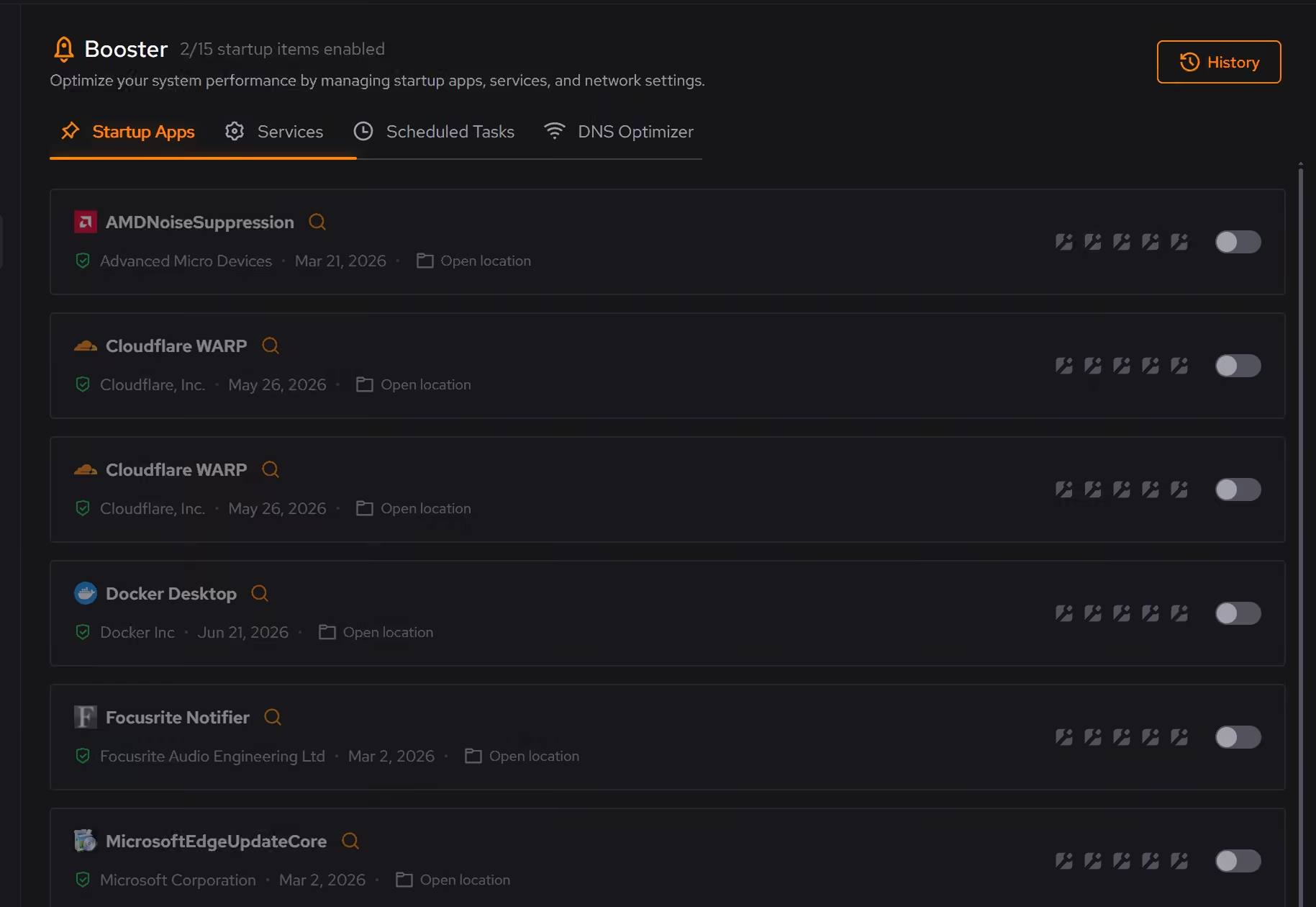
Booster shows startup apps, services, and scheduled tasks as one background load, and each change is explained and kept in a history.
With Microsoft PC Manager
Boost frees memory and clears temporary files in one press, and the startup list lets you switch apps off. It is quick, and it shows little about why.
With eclean
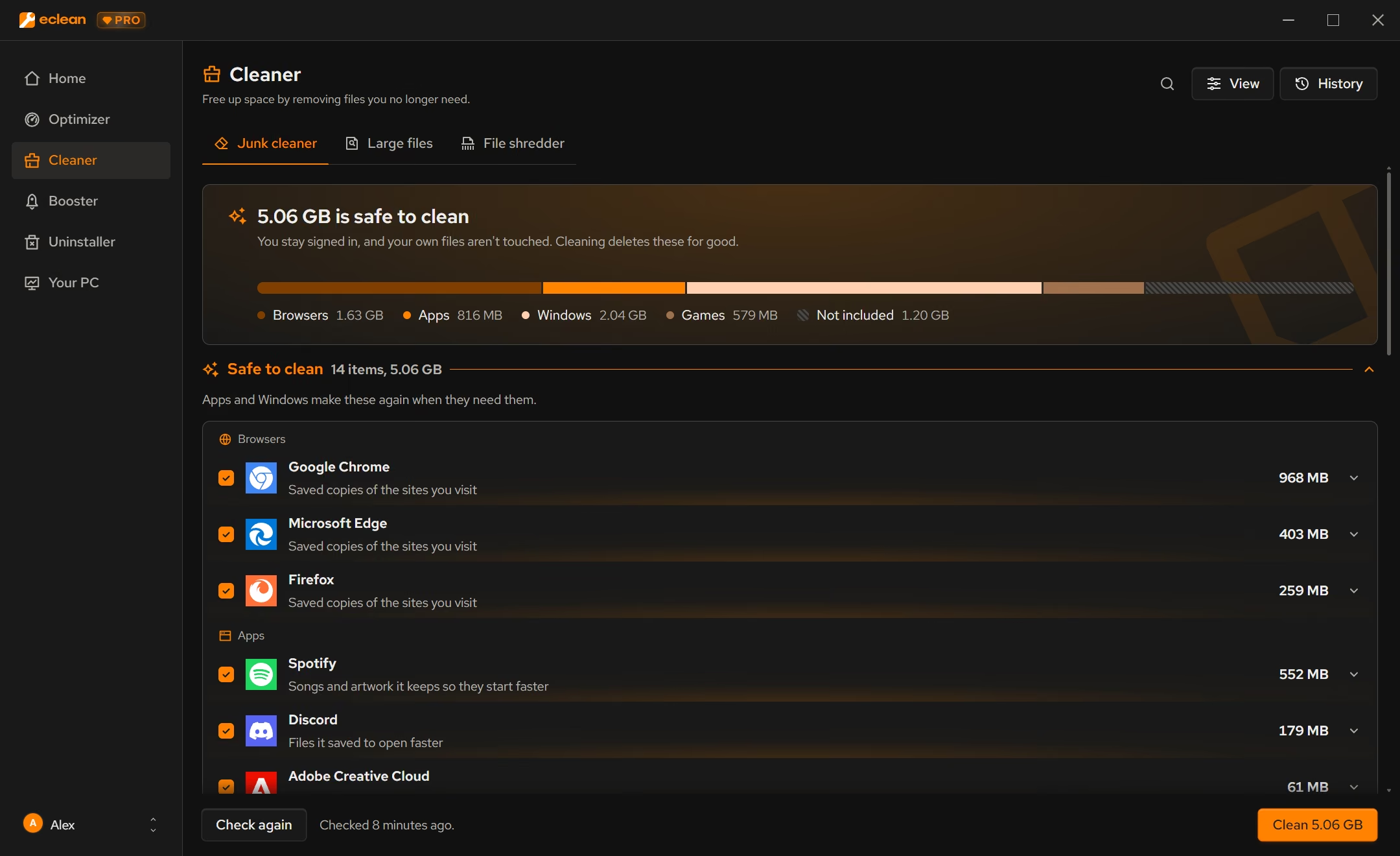
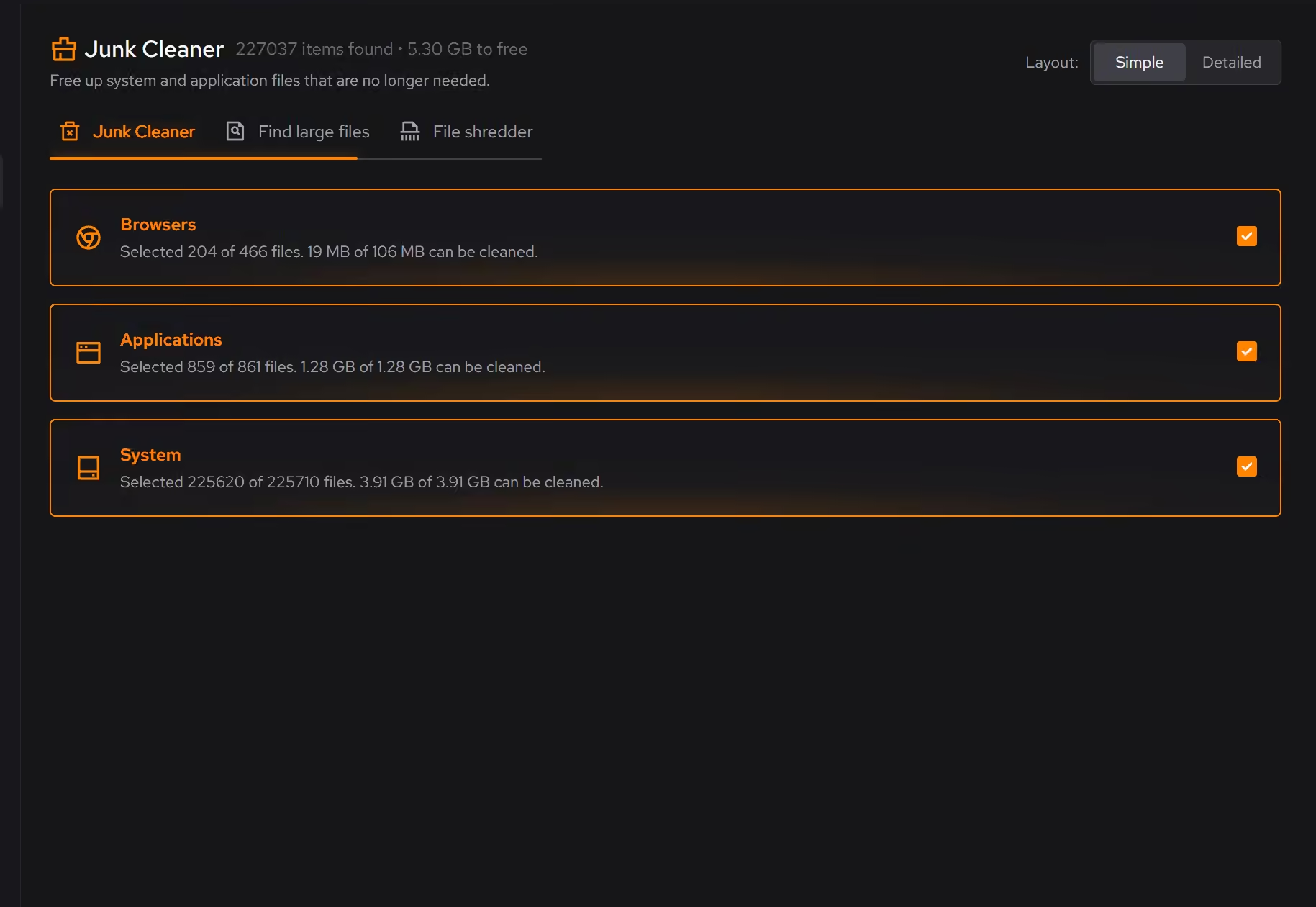
Clutter is grouped by browsers, apps, Windows, and games, and any item opens to say what it is before anything is removed.
With Microsoft PC Manager
Deep cleanup covers Windows categories like temporary files and update leftovers, and links to Storage Sense and a large file view.
With eclean
eclean does not sell a browser or a search engine, so no recommendation points you toward one.
With Microsoft PC Manager
In 2024 its repair tips offered to reset Edge's start page and search engine to Bing for people who had picked another one, which drew wide criticism.
With eclean
Optimizer, an uninstaller with leftover scans, DNS benchmarking, and a hardware view with live activity sit in the same free download.
With Microsoft PC Manager
A toolbox links to built-in Windows tools, and pop-up management cuts down on ads and app interruptions.
Microsoft PC Manager is a free Microsoft app for Windows 10 and 11 with one-click boost, cleanup, a health checkup, and pop-up management. Here is how the two line up, feature by feature.
| Capability | eclean Free, or Pro at $59.99/year | Microsoft PC Manager Free |
|---|---|---|
| Cleaning | ||
| Preview what will be removed | Category totals | |
| Clutter grouped by browsers, apps, Windows, and games | Windows categories | |
| Large file finder | Every drive, with explanations | |
| Secure file shredder | Secure overwrite with Pro | Not listed |
| Speed-up | ||
| One-click memory and temp file boost | ||
| Startup apps | ||
| Services and scheduled tasks in the same view | Not listed | |
| Explained Windows tweaks with a history | ||
| DNS benchmarking and encrypted DNS | Not listed | |
| How it treats you | ||
| Free | Free core, optional Pro | Entirely free |
| Made by Microsoft | ||
| Recommends the vendor's own browser or search engine | Never | Bing, in 2024 |
| Uninstaller, hardware view, and live activity | Not listed | |
Checked by William Hallin. Last checked . Spot something out of date? Tell us and we'll fix it.
Sources: Microsoft PC Manager official site (checked 10 Nov 2026)Microsoft PC Manager in the Microsoft StorePCWorld on PC Manager's Bing repair tip (May 2024)
Free on Windows 10 and 11, no trial timer.
Download freeEverything Microsoft PC Manager does here lives in 2 modules of the same free download.





Every recommendation says what it changes and why before you commit to it.
Supported changes keep an undo history, so trying something is never a commitment.
Scans and cleaning run locally. eclean does not upload your files, documents or installed-program list.
PC Manager is Microsoft's own answer to third-party cleaners. It is free, available in the Microsoft Store for Windows 10 and 11, and still updated, with version 3.23 out in November 2026. Its buttons cover a one-click boost, deep cleanup, a large file view, pop-up management, a health checkup, and a toolbox of shortcuts into Windows.
That origin is its strength. It is unlikely to break anything, and most of what it does is reach into Storage Sense, Task Manager, and Settings on your behalf.
Reaching into Windows tools also sets the limit. Cleanup works in Windows categories, so browser and app caches, game launchers, and the leftovers of uninstalled software stay mostly out of view. Boost frees memory for a moment, which Windows would manage on its own anyway, and does not reduce what starts and runs in the background.
There is also the question of whose defaults are "correct". In May 2024, PCWorld and others reported that PC Manager listed a repair that reset Edge's search engine to Bing for people who had chosen another one. A maintenance tool should not have an opinion about your search engine.
eclean starts each job with an explanation. Cleaner groups clutter by where it comes from and says what each item is before it goes. Booster shows startup apps, services, and scheduled tasks as one background load you can trim deliberately. Optimizer explains each Windows tweak and keeps a history with a route back for supported changes. The uninstaller and a full hardware view sit in the same free download, and Pro adds automatic upkeep.
If all you want is a safe one-click cleanup, PC Manager is a reasonable choice. If you want to know what is happening on your PC and decide for yourself, eclean is built for that.
Cleaner · Booster
Advanced SystemCare automates PC care with one-click scans and an AI Mode. Here is how eclean compares on cleaning, explanations, and cost.

Cleaner · Booster · Uninstaller
AVG TuneUp automates PC maintenance behind a subscription. Here is how eclean compares on background apps, cost over time, and vendor track record.
Cleaner
BleachBit is free, open source, and thorough. See where it wins, what eclean adds in plain-language previews, game coverage, and support, and which to pick.
5.0 out of 5 on Trustpilot from 11 reviews
“Easy to use. Great support. And it really helped me clean my computer. When you are uncertain which files you could delete, the program solves that for you. I don't even need to think, that's great. =)”