
Cleaner · Booster
eclean vs Advanced SystemCare
Advanced SystemCare grades your PC and fixes everything in one click. Here is how eclean compares on cleaning, speed-up claims, and upsell pressure.
Last checked

Wise Care 365 promises one-click PC care with a health score. Here is how eclean compares on cleaning, speed-up claims, and honesty.
Wise Care 365 is inexpensive for how much it bundles, and one license covers three PCs. What holds it back is the health score that makes every PC look sick. eclean covers the same ground (cleaning, startup, background work) without the score, the registry cleaner, or the upgrade prompts, and explains each change before it happens.
Free · Windows 10 and 11
Stay with Wise Care 365 if…If this list sounds like you, Wise Care 365 is a fine choice.
The same jobs, done two ways.
With eclean
There is no health score. A scan produces a readable list of what was found, where it came from, and what removing it does, and you decide from there.
With Wise Care 365
The one-click checkup leads with a dramatic score and hundreds of "issues", most of them registry entries whose removal changes nothing you can feel.
With eclean
eclean ships no registry cleaner. On a modern Windows PC it is placebo work, and selling placebo work costs the trust the rest of the app runs on.
With Wise Care 365
Registry cleaning is the heart of the checkup, and it is where most of the alarming issue count comes from.
With eclean
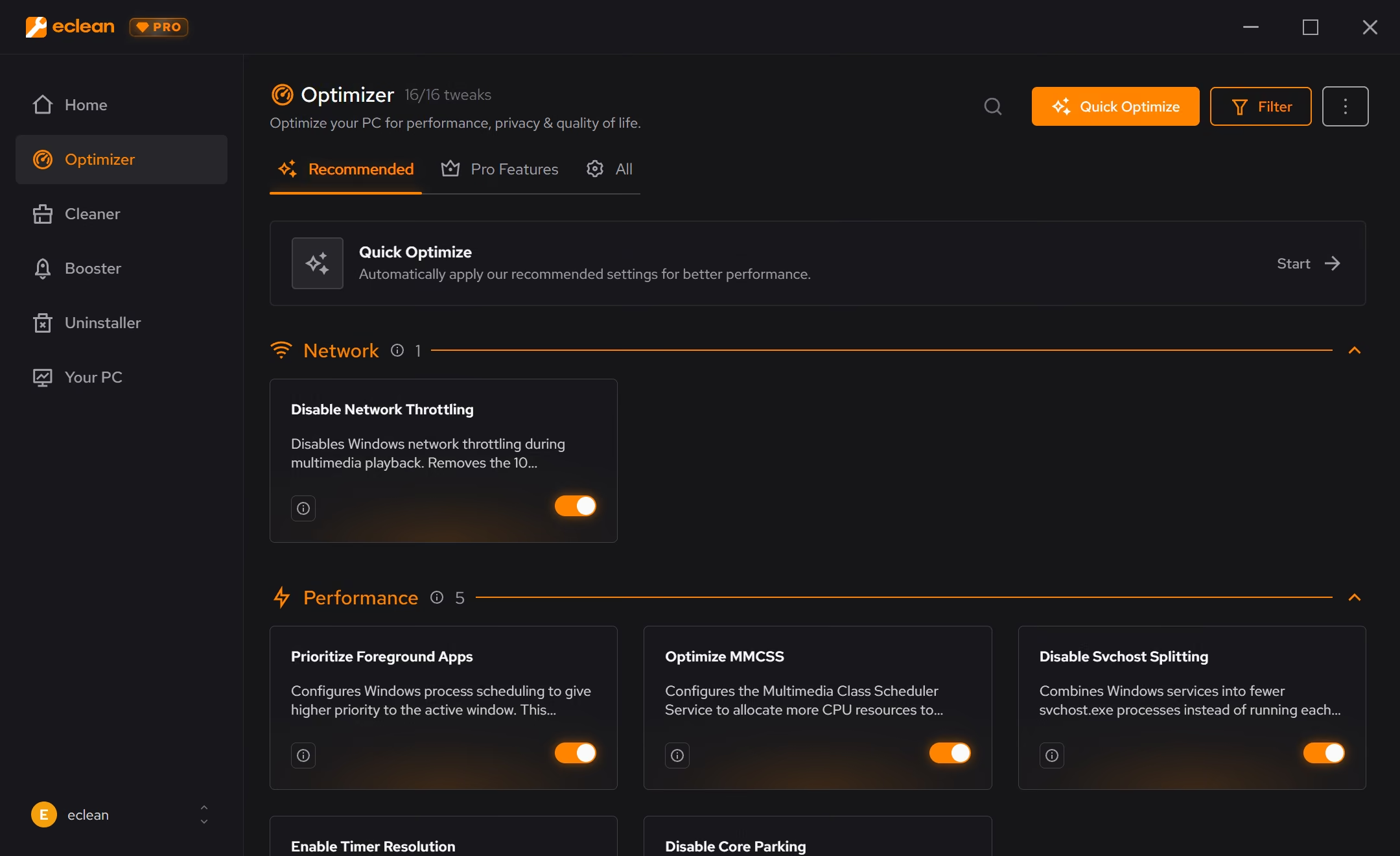
The free tier is the product (cleaning, startup and services, DNS tools, and the hardware view), with no nags. Pro adds scheduling and depth on top.
With Wise Care 365
Free is functional but busy. Upgrade prompts, tray popups, and locked buttons are part of the daily experience.
With eclean
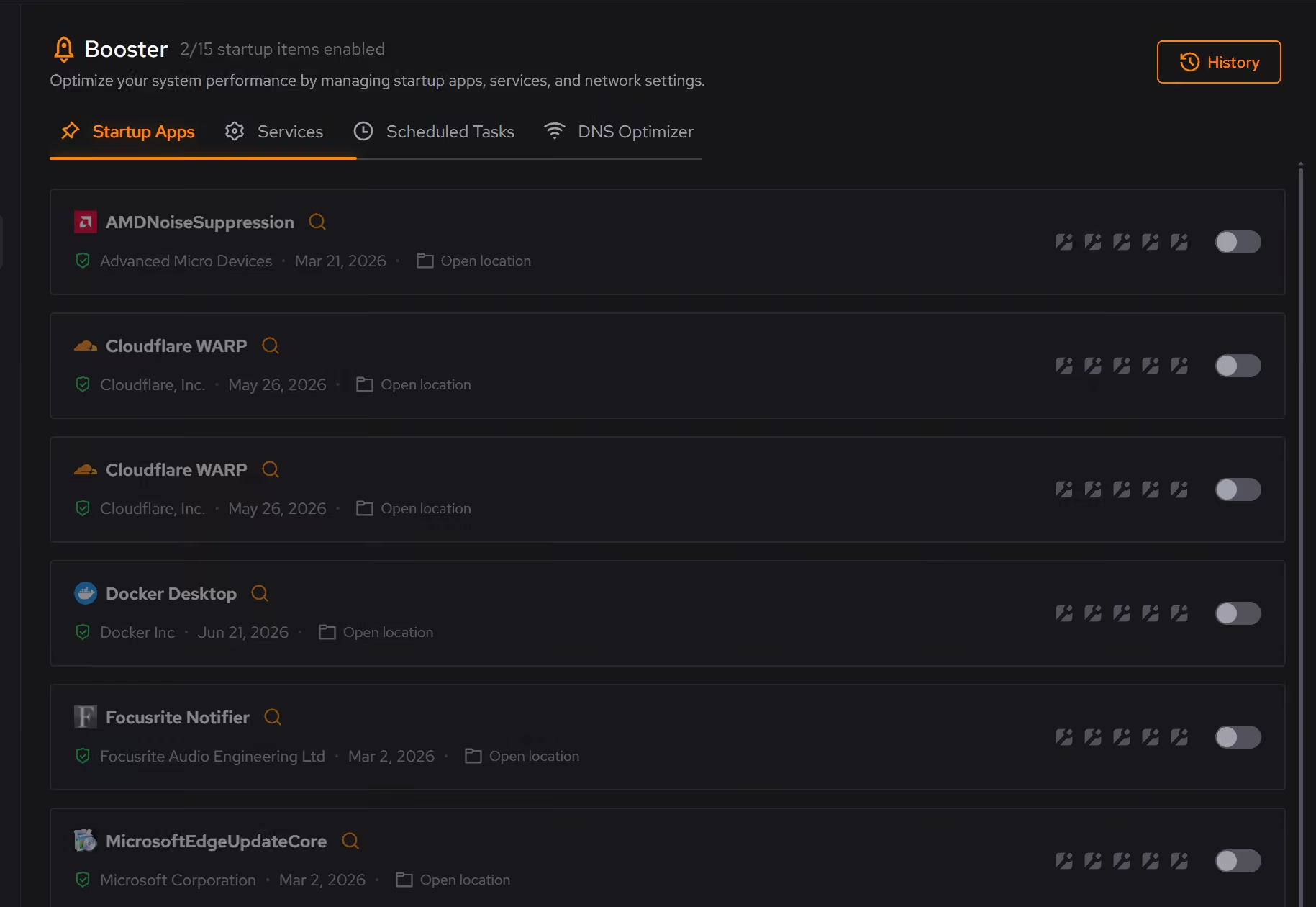
Booster shows the actual background load (startup apps, services, scheduled tasks) and lets you trim it deliberately, with explanations and a route back.
With Wise Care 365
System Tuneup applies batches of tweaks with little explanation of what changed or how to judge whether it helped.
Wise Care 365 is an all-in-one PC utility suite built around a one-click checkup, a health score, and a large bundle of small tools. Here is how the two line up, feature by feature.
| Capability | eclean Free, or Pro at $45.99 USD/year | Wise Care 365 Free, or $39.95/year |
|---|---|---|
| Cleaning | ||
| Preview files before they are removed | ||
| Clutter grouped by browsers, apps, Windows, and games | Mixed categories | |
| Large file finder | Disk explorer | |
| Secure file shredder | Secure overwrite with Pro | |
| Registry cleaner | No, on purpose | |
| Speed-up | ||
| Startup, services, and scheduled tasks together | With Pro | |
| Every change explained before it is applied | Lists items, not reasons | |
| Undo history for applied changes | Restore points | |
| DNS benchmarking on your own connection | ||
| How it treats you | ||
| Health score theatrics | None | Front and center |
| Upgrade prompts inside the free app | None | Frequent |
| Hardware inventory and live sensors | Basic overview | |
Checked by Jack Holmes. Last checked . Spot something out of date? Tell us and we'll fix it.
Sources: Wise Care 365 product page
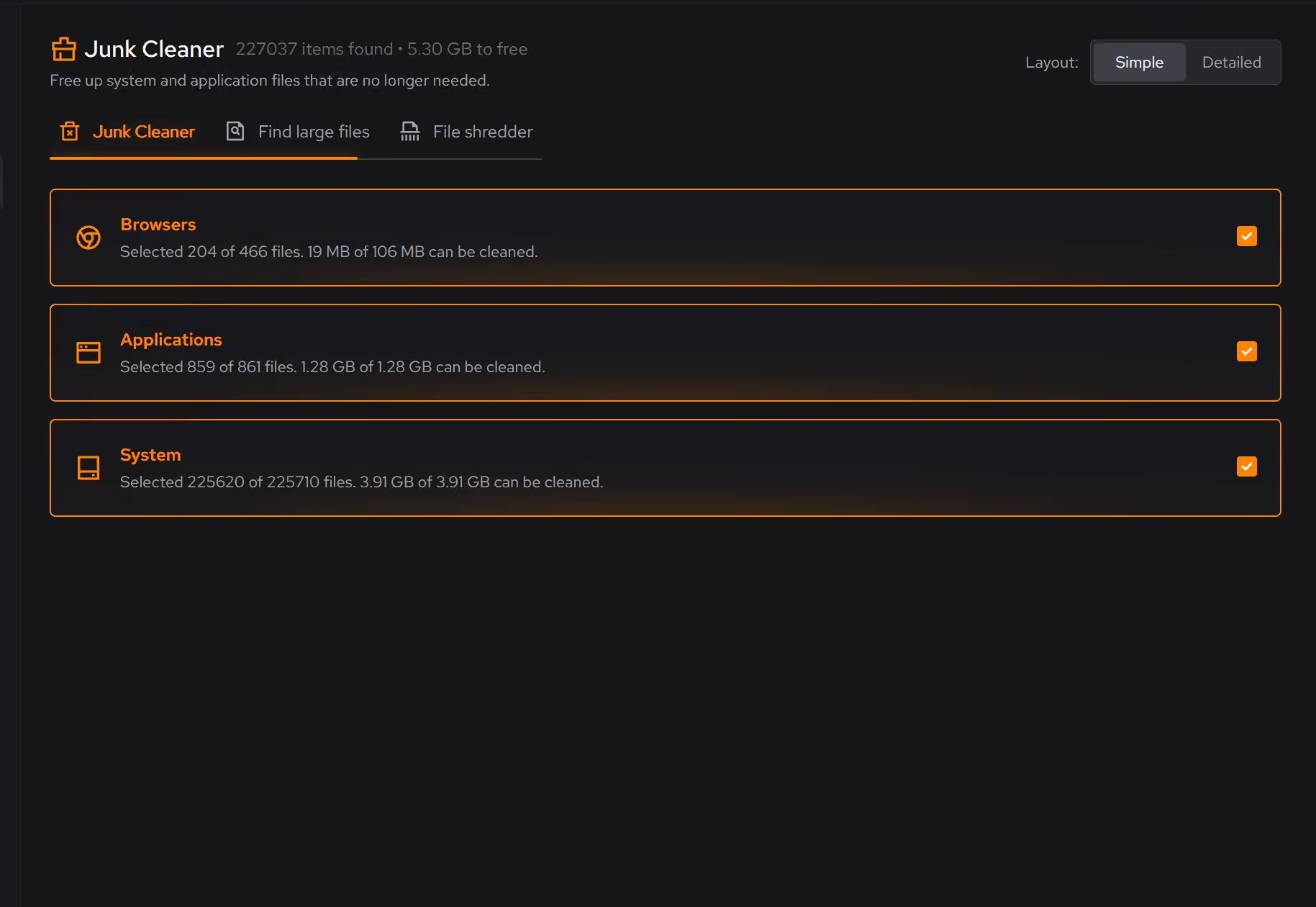
Everything Wise Care 365 does here lives in 2 modules of the same free download.





Every recommendation says what it changes and why before you commit to it.
Supported changes keep an undo history, so trying something is never a commitment.
Scans and cleaning run locally. The contents of your files never leave your machine.
“yeah seems to be good so far”
R M
Wise Care 365 sells completeness: dozens of utilities, one click, a big score that goes from red to green. It is an appealing pitch, and to be fair, the suite is inexpensive and covers a lot of surface area.
The problem is what the score is made of. Most of those alarming "issues" are registry entries whose removal makes no measurable difference. The checkup is theater: a number designed to make the product feel necessary every day.
eclean's founding rule is that maintenance software has to show its work. A cleaning scan tells you what was found and where it came from. A Booster recommendation explains what it changes and keeps a route back. Nothing hides behind a score, because a score is where the exaggeration lives.
That is also why eclean has no registry cleaner. Not because it is hard to build, but because it does not make PCs faster, and a tool that charges for placebo work has lost the argument about everything else.
Everything Wise Care's checkup legitimately does has a home in eclean: clutter cleaning with a preview, a large file finder, a secure shredder, startup and background management, plus a hardware view Wise Care never had. The free tier does all of this without tray popups or locked buttons, and Pro exists for depth (scheduling, all-drive scans), not for holding the basics hostage.
If you want a dashboard that congratulates you, Wise Care will keep doing that. If you want to know what your PC is actually doing, eclean will tell you, plainly and with receipts.
Cleaner · Booster
Advanced SystemCare grades your PC and fixes everything in one click. Here is how eclean compares on cleaning, speed-up claims, and upsell pressure.

Cleaner · Booster · Uninstaller
AVG TuneUp automates PC maintenance behind a subscription. Here is how eclean compares on background apps, cost over time, and vendor track record.
Cleaner
BleachBit is free, open source, and genuinely powerful. An honest look at where it wins and what eclean adds in explanation, coverage, and support.