Call of Duty on a drive with room to spare. Ricochet and the game stay untouched.
Call of Duty installs are huge and Modern Warfare 4 needs TPM 2.0 and Secure Boot. Clear space, watch the hardware, and trim the background around it.
Free · Windows 10 and 11 · Never touches Ricochet
The problem.
Modern Warfare 4 arrived on 23 October 2026, and on PC it brought the series' usual storage appetite plus a hard requirement for TPM 2.0 and Secure Boot. Add Warzone and last year's game still installed, and the SSD is full before the first patch lands. Settings menus cannot fix a crowded drive or a busy background.
Call of Duty on PC has two recurring problems, and neither lives in the graphics menu. The first is size. Each yearly entry arrives as a very large install that keeps growing with seasons, and Warzone and older titles tend to stay installed beside it, so the SSD fills faster than any other game library on the machine. The second is new. Modern Warfare 4 requires TPM 2.0 and Secure Boot to play on PC, which sends a lot of players into firmware settings for the first time.
The Uninstaller leads this page because it answers the size question directly. It lists every installed game with its size and the date you last played it, beside the rest of your software, so deciding whether last year's Call of Duty still deserves its space takes one look. Removals can run several at a time, and eclean checks for the files and registry entries a standard uninstall leaves behind, so the space actually returns.
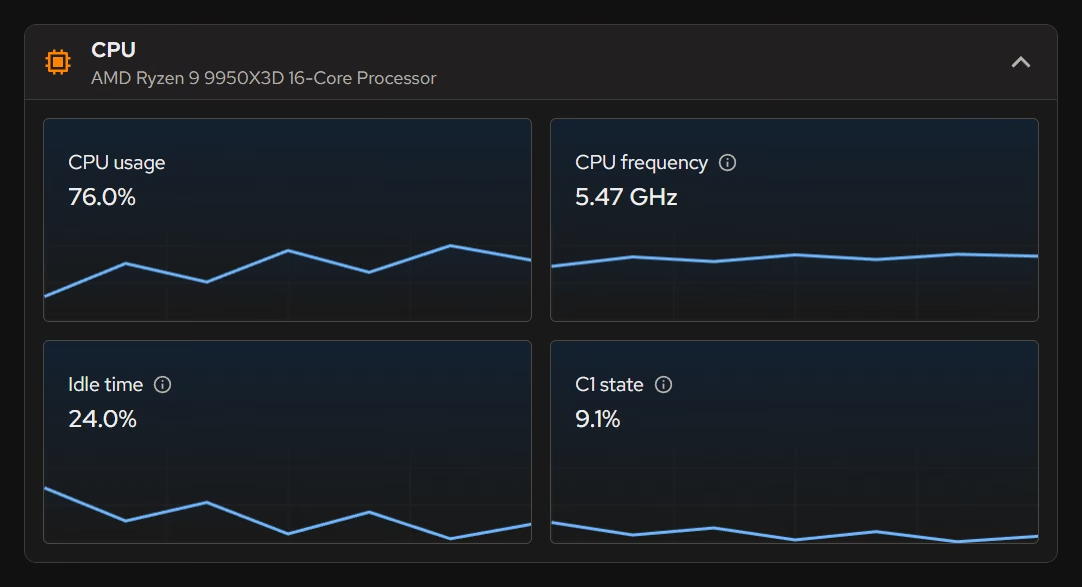
When a match hitches, the live views are the fastest way to separate a hardware limit from background interference. Processor, graphics, memory, and storage activity sit side by side in real time, so a graphics card at its ceiling, memory running out, or a drive pinned by a download each shows up as what it is. Booster then covers the background half, with startup apps, services, and scheduled tasks in one list and each entry's publisher beside it.
The security requirements shape what this page recommends. The tweaks listed below reduce background work and recording overhead and leave Windows' protections alone. eclean's Optimizer also offers changes that lower security features for performance, and each one says what it costs, but they are left off this page because Call of Duty's PC requirements now lean on those same protections. Your PC's security summary shows whether Secure Boot is already on. eclean does not switch it or TPM on for you, since both live in firmware, and the guide linked below covers how to check TPM and enable both.
Everything eclean does here happens in Windows. It never modifies Call of Duty's files, Battle.net or Steam, or Ricochet, and every change is explained before it runs and kept in a history with a supported route back.
What eclean does here.
Decide which Call of Duty stays
Each installed game shows its size and when you last played it, so the previous year's entry and a forgotten battle royale are easy to spot. Remove several at once, and the leftovers are checked after each one.
In Uninstaller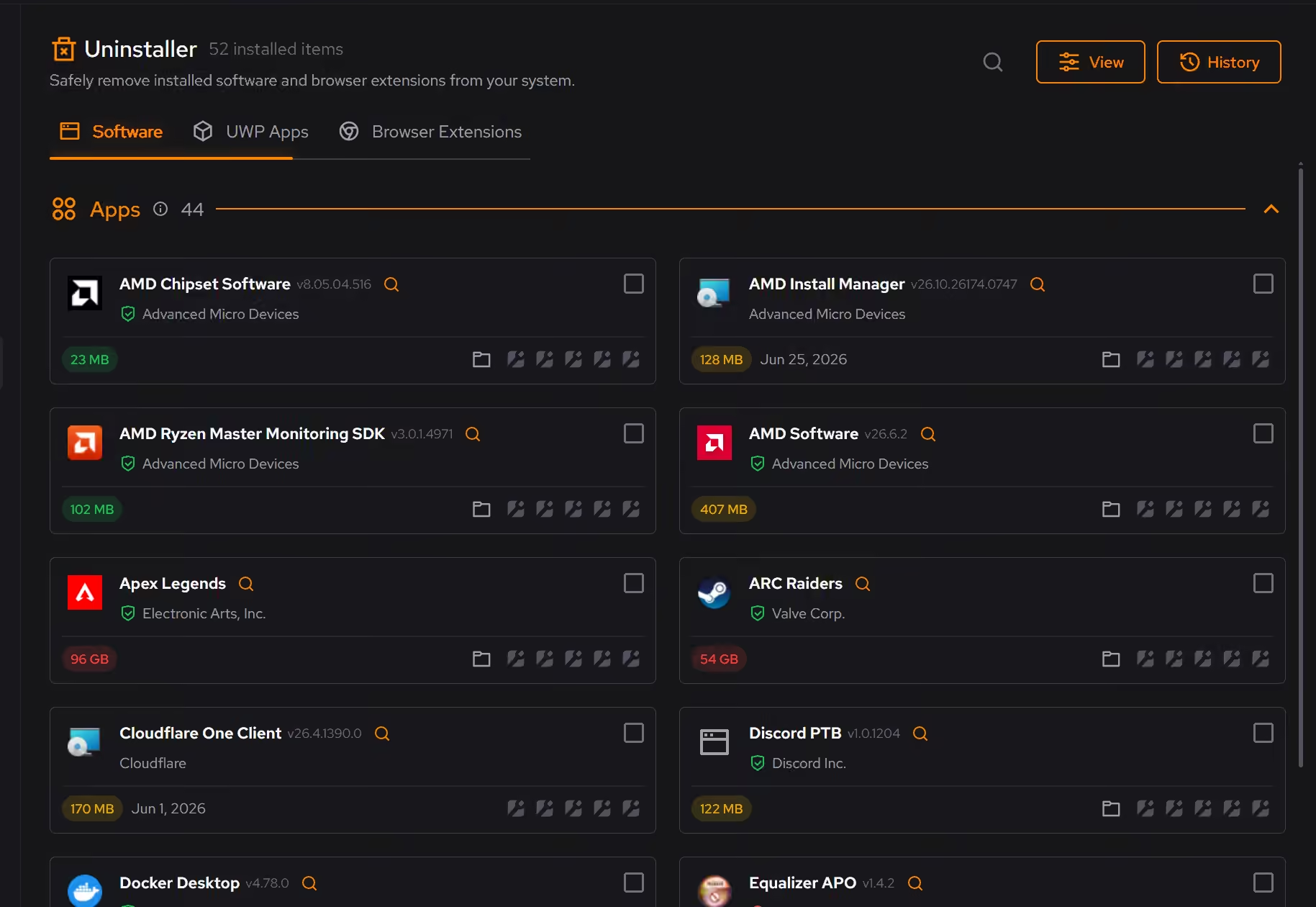
See the hitch for what it is
When a match stutters, the live processor, graphics, memory, and storage views show which part was under load at that moment, so the fix starts from a fact instead of a forum thread.
In Your PC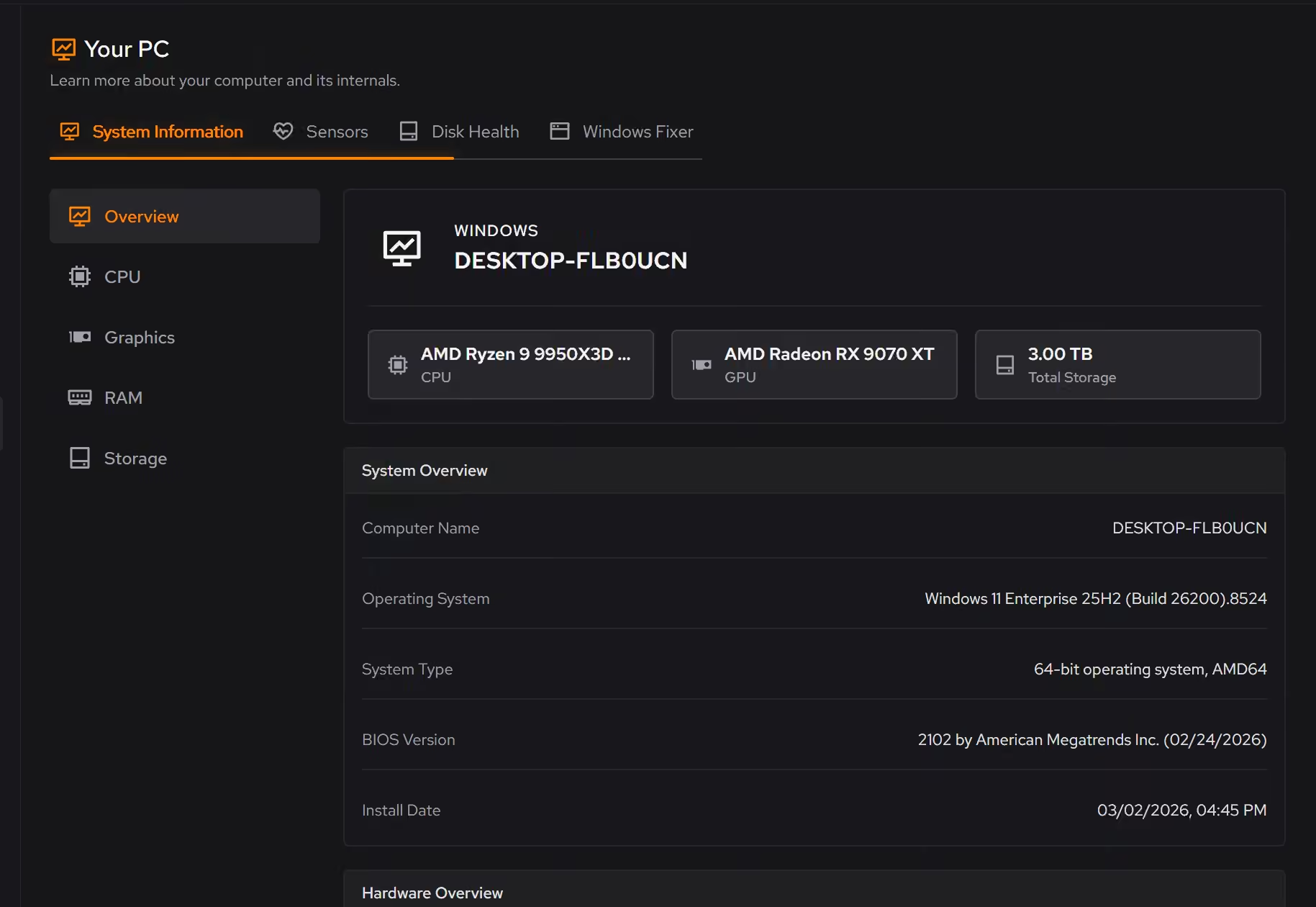
Keep launchers and helpers out of the match
Startup apps, services, and scheduled tasks share one list with their publishers, so the overlays and updaters that wake mid-match are a decision you make once.
In Booster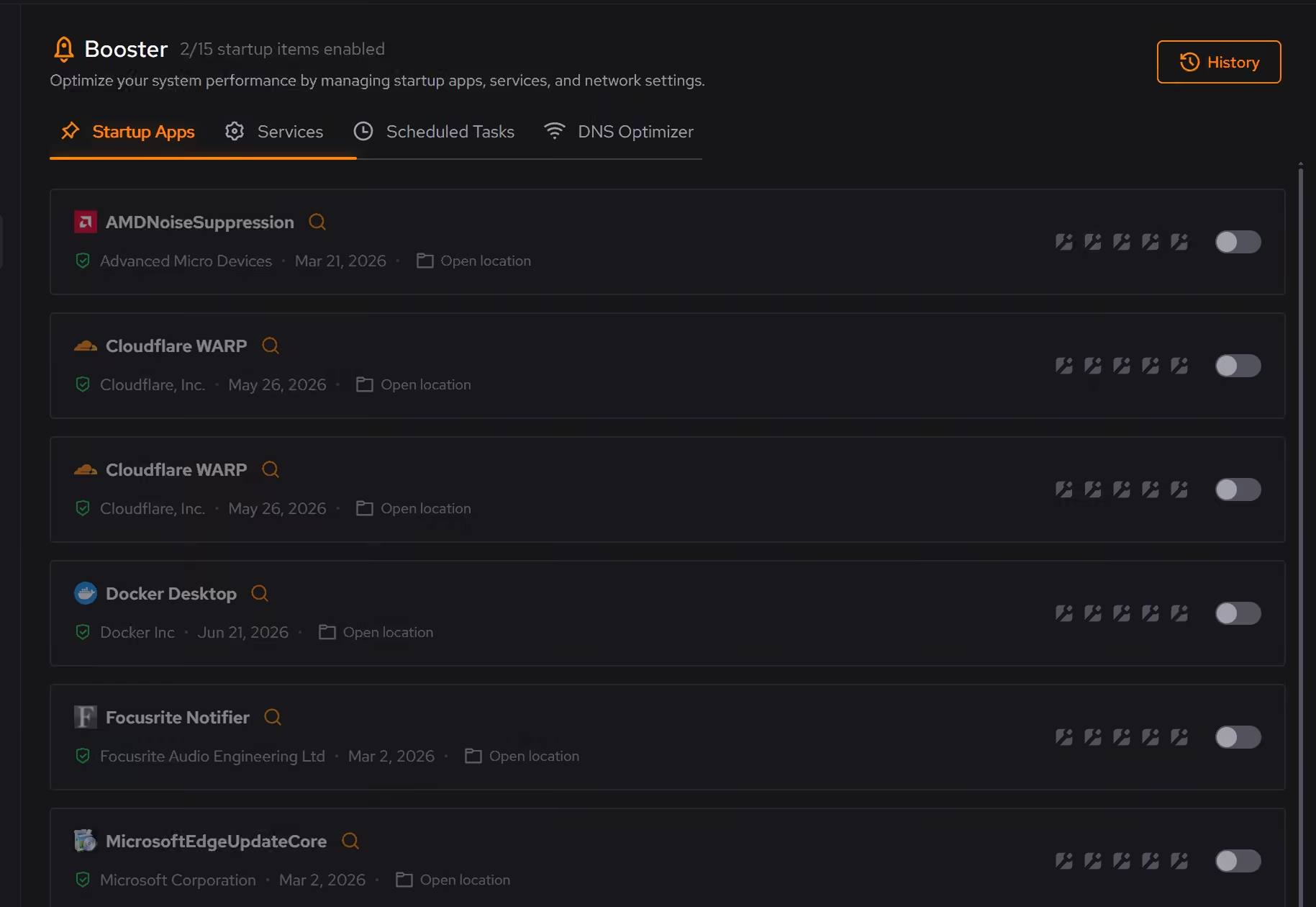
Free on Windows 10 and 11, no trial timer.
Download freeThe tweaks, by name. Each one explains itself before it runs.
Disable Game Bar
Disables Xbox Game Bar, Game DVR, and background game recording features. This reduces CPU and memory overhead during gaming sessions and eliminates overlay-related performance impacts.
Disable Background Apps
Prevents apps from running in the background when not actively in use. This reduces CPU and memory usage, extends battery life on laptops, and improves overall system responsiveness.
Prioritize Foreground Apps
Configures Windows process scheduling to give higher priority to the active window. This improves UI responsiveness, reduces input lag in games, and provides a smoother multitasking experience.
Disable Network Throttling
Disables Windows network throttling during multimedia playback. Removes the 10 packets/ms limit to improve network performance for gaming, streaming, and VoIP applications.
Every tweak above changes Windows, never Call of Duty or Ricochet. See how Optimizer works
Proof, then limits.
What you can check
Activision lists TPM 2.0 and Secure Boot as required to play Modern Warfare 4 on PC.
support.activision.comeclean changes Windows. It does not modify Call of Duty, Battle.net, Steam, or Ricochet.
In OptimizerUninstaller lists each game's size and last played date in the same inventory as your apps.
In Uninstaller
Where eclean stops
eclean shows whether Secure Boot is on but does not turn it or TPM on. Both live in firmware, and the linked guide walks through them.
It never modifies Call of Duty, its launchers, or Ricochet.
It cannot shrink the game or its updates. It clears the Windows around them.
If eclean steps over a line here, tell us and we'll fix it.
Still deciding? Fair questions, answered.
Will it break my PC?
It is designed not to. Every change is explained before it is applied, you decide what runs, and supported changes keep a route back inside the app, so nothing you try has to be permanent.
Is eclean safe to download?
Yes. The installer is a single signed file from our own release server, with no bundled extras. While our signing certificate is new, Windows SmartScreen may ask you to confirm the publisher, which reads eclean Labs AB, the company that signs our Windows installer. What the app collects, and what it never touches, is documented in the trust center.
Is the free version actually useful?
Yes. The core of eclean, understanding your PC and keeping it tidy, is free without time limits or nagging. Pro adds the upkeep that runs on its own, like weekly cleanup.